# Create a Dataset Version

A version is a point-in-time snapshot of your dataset. We keep these versions since by keeping track of exactly which images, preprocessing, and augmentation steps were used in each iteration of your model, you maintain the ability to reproduce the results. This allows you to scientifically test across various models and frameworks while remaining confident that the results are attributable to the model changes and not due to a bug/change in the data pipeline.

<a href="/pages/eLHVFqi0jz1ogkOfSWuT" class="button primary">Key Concepts: What are Workspaces & Projects?</a>

{% hint style="info" %}
Once a version is created, it is frozen in time, which means changes to the project whether that be adding/removing images, annotations, or other data, won't affect versions that were created before.
{% endhint %}

### How To Create a Dataset Version

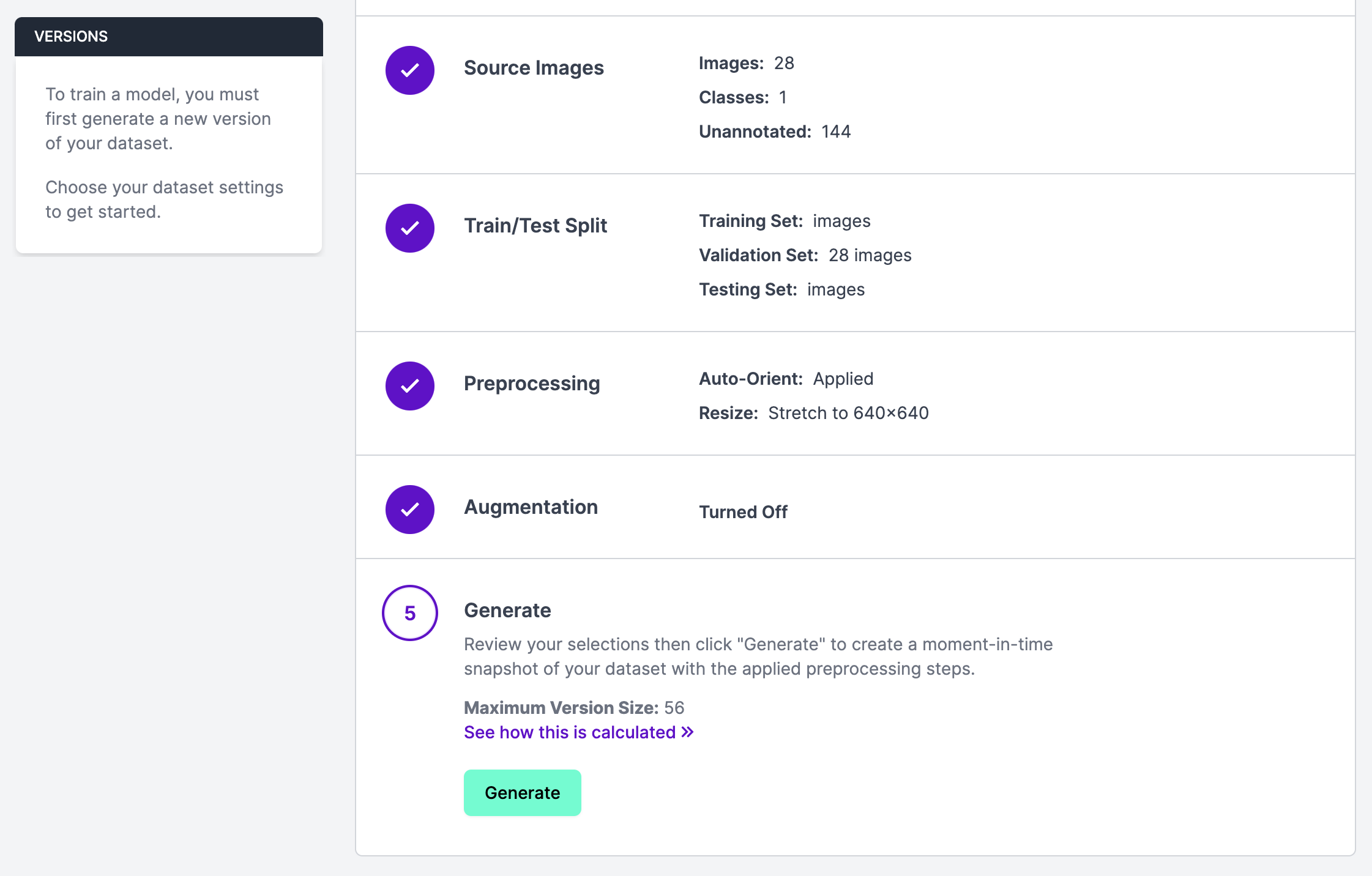
To create a dataset version, click "Versions" in the sidebar associated with your Roboflow project. Then, click "Generate New Version".

From this page, you can set a train/test/valid split and specify preprocessing steps and augmentations for your new dataset version.

<figure><img src="/files/tcCTkdP6Pv4Y1xvHfyw7" alt="" width="375"><figcaption></figcaption></figure>

Once you have specified the preprocessing steps and augmentations you want to apply to your data, click "Generate". This will generate a new dataset version. You can then use this dataset version to train a model in Roboflow. You can also [export your dataset](/datasets/dataset-versions/exporting-data.md) for use in training a model manually.

### Readjusting Train/Validation/Test Splits

During the version creation process, you can also readjust the balance of your training, validation and test set splitting. To do this, go to "Step 2: Train/Test Split" and click the "Rebalance" button.

<figure><img src="/files/4VHXb7hRAEwwUHT4aLIQ" alt="" width="375"><figcaption></figcaption></figure>


---

# Agent Instructions: Querying This Documentation

If you need additional information that is not directly available in this page, you can query the documentation dynamically by asking a question.

Perform an HTTP GET request on the current page URL with the `ask` query parameter:

```
GET https://docs.roboflow.com/datasets/dataset-versions/create-a-dataset-version.md?ask=<question>
```

The question should be specific, self-contained, and written in natural language.
The response will contain a direct answer to the question and relevant excerpts and sources from the documentation.

Use this mechanism when the answer is not explicitly present in the current page, you need clarification or additional context, or you want to retrieve related documentation sections.
