> For the complete documentation index, see [llms.txt](https://docs.roboflow.com/llms.txt). Markdown versions of documentation pages are available by appending `.md` to page URLs; this page is available as [Markdown](https://docs.roboflow.com/datasets/ja/guan-li/manage-datasets/download-an-image.md).
# 画像をダウンロードする
Roboflow のデータセットから、画像 1 枚、または前処理済み・拡張済みのバージョンをダウンロードします。
データセットから1枚の画像をダウンロードできます。
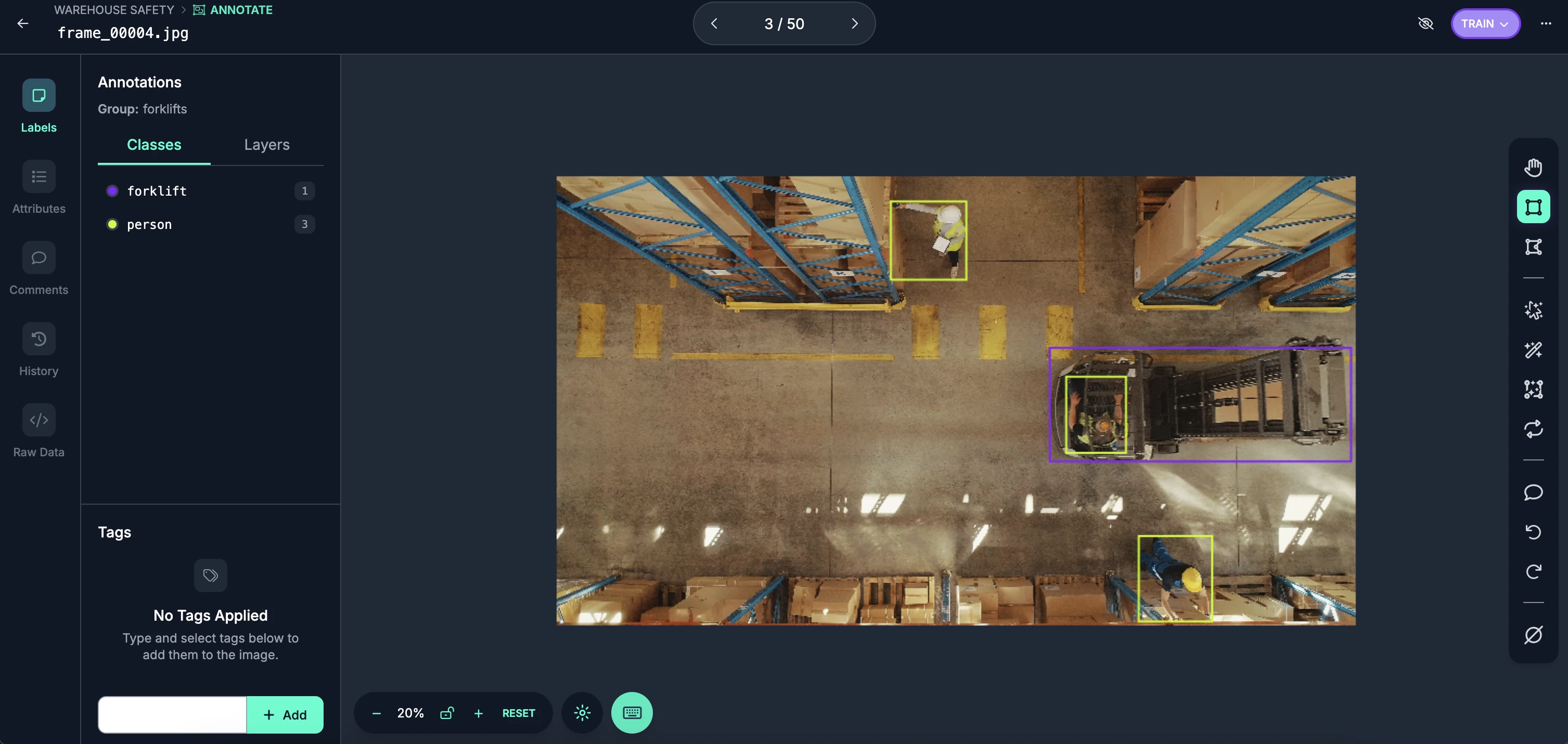
そのためには、まず Roboflow Annotate でダウンロードしたい画像を開きます:
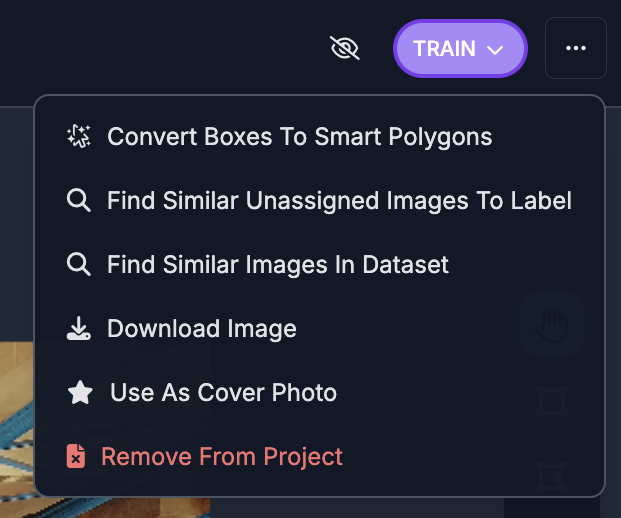
次に、右上隅の3つの点をクリックします:
「Download Image」ボタンをクリックします。
すると、画像がコンピューターにダウンロードされます。
## 変換済みの画像をダウンロード
個別の変換済み画像も、 [データセットバージョン](/datasets/ja/bjon/dataset-versions.md)。バージョンの画像詳細ビューで前処理済みまたは拡張済みの画像を表示しているときに、アクションメニューの「Download Image」をクリックすると、その画像の特定の変換済みバージョンをダウンロードできます。