> For the complete documentation index, see [llms.txt](https://docs.roboflow.com/llms.txt). Markdown versions of documentation pages are available by appending `.md` to page URLs; this page is available as [Markdown](https://docs.roboflow.com/datasets/ko/manage/rename-a-project.md).
# 프로젝트 이름 변경
Roboflow 워크스페이스에서 프로젝트 이름을 변경하고, 이것이 프로젝트 URL과 모델 API에 어떻게 반영되는지 이해하세요.
Roboflow Workspace에서 기존 프로젝트의 이름을 변경할 수 있습니다.
{% hint style="danger" %}
프로젝트 이름을 변경하면 프로젝트 URL도 변경됩니다. 즉, 프로젝트 모델 API를 호출하는 스크립트는 새 프로젝트 ID를 사용하도록 업데이트해야 합니다.
{% endhint %}
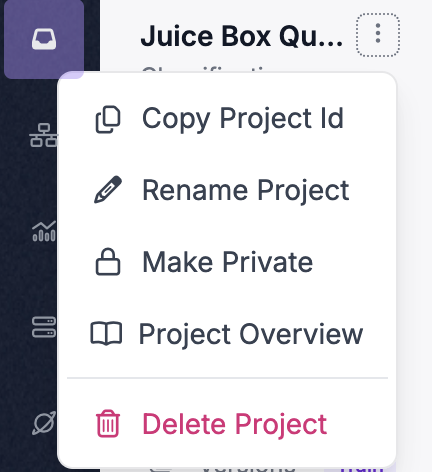
프로젝트 이름을 변경하려면 Roboflow에서 프로젝트를 엽니다. 그런 다음 애플리케이션 사이드바에서 프로젝트 이름 옆의 점 세 개를 클릭하세요:
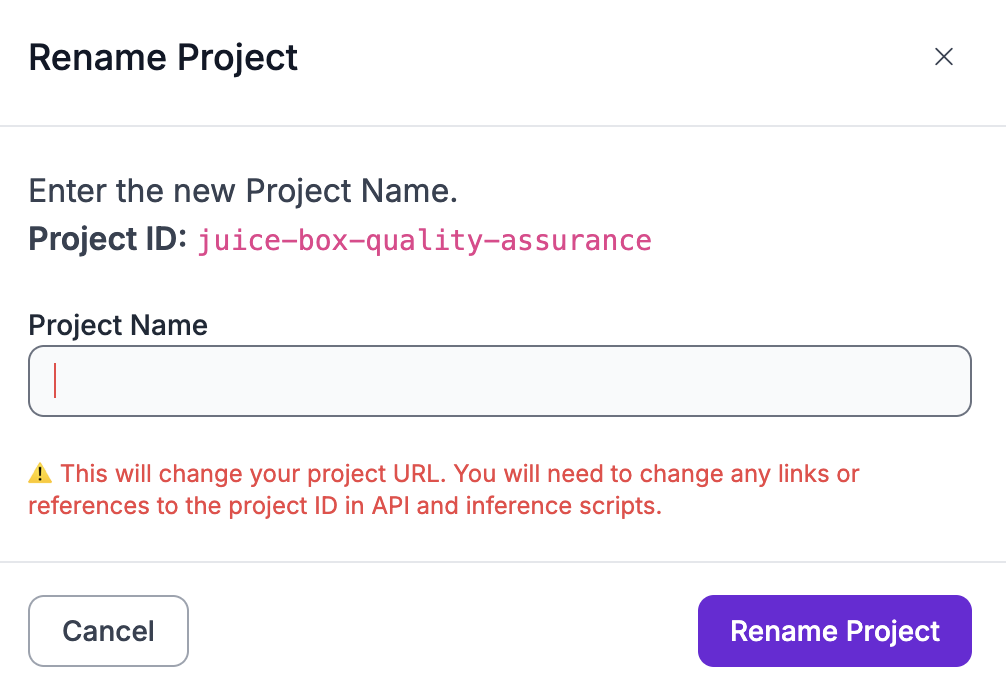
"프로젝트 이름 변경"을 클릭하세요. 그러면 프로젝트 이름을 변경할 수 있는 창이 나타납니다:
프로젝트 이름을 변경하려면 "프로젝트 이름 변경"을 클릭하세요. 이 작업은 되돌릴 수 없습니다.
프로젝트 이름은 즉시 변경됩니다. 이전 프로젝트 ID를 참조하는 스크립트는 더 이상 작동하지 않습니다.