> For the complete documentation index, see [llms.txt](https://docs.roboflow.com/llms.txt). Markdown versions of documentation pages are available by appending `.md` to page URLs; this page is available as [Markdown](https://docs.roboflow.com/datasets/manage/manage-datasets/download-an-image.md).
# Download an Image
Download a single image, or a preprocessed or augmented version of it, from a dataset in Roboflow.
You can download a single image from a dataset.
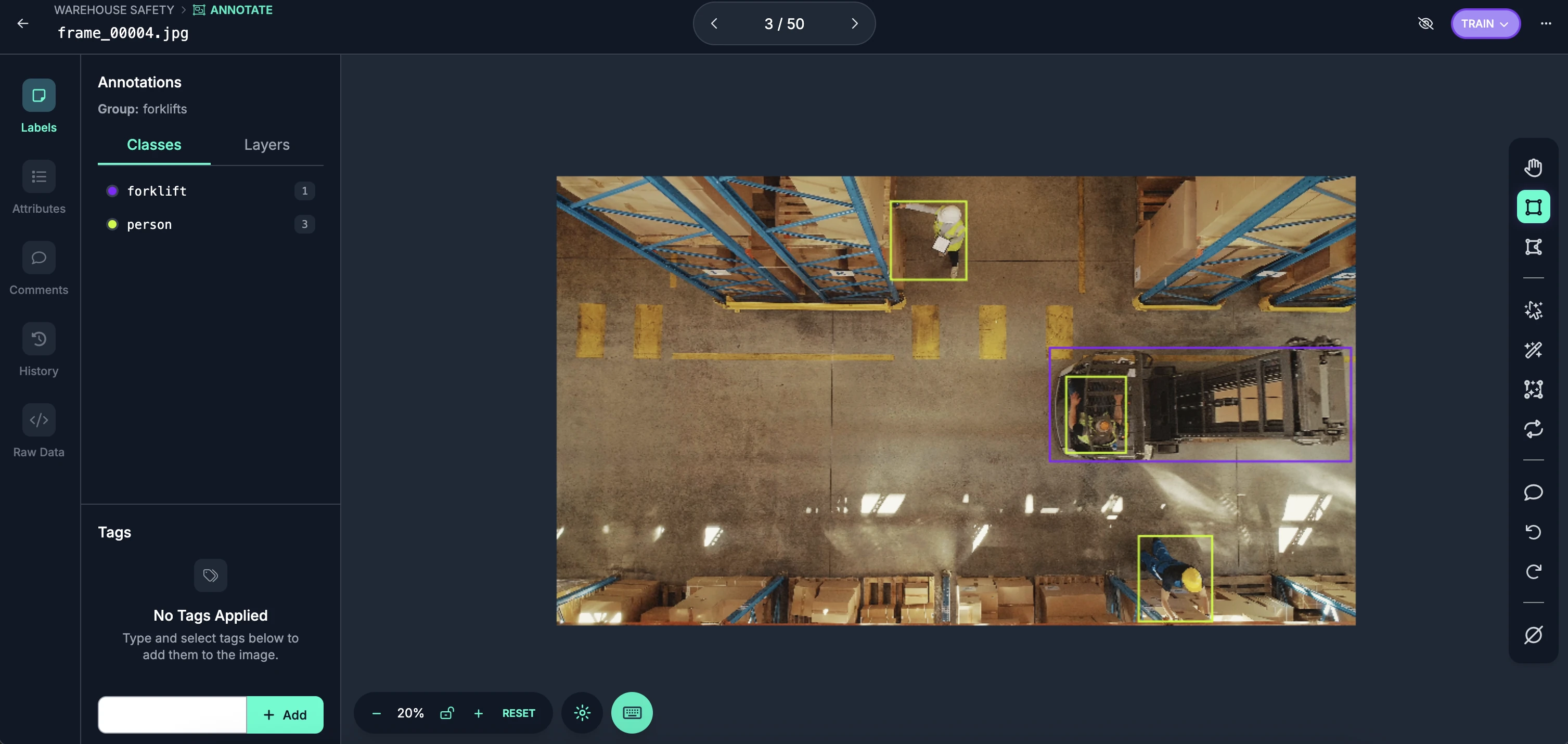
To do so, first open the image you want to download in Roboflow Annotate:
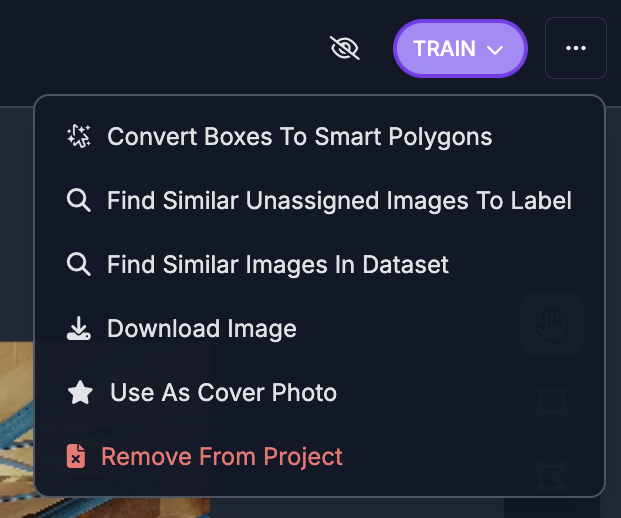
Then, click the three dots in the top right corner:
Click the "Download Image" button.
The image will then be downloaded to your computer.
## Download a Transformed Image
You can also download individual transformed images from a [Dataset Version](/datasets/versions/dataset-versions.md). When you view a preprocessed or augmented image in the version's image detail view, click "Download Image" in the action menu to download that specific transformed version of the image.