> For the complete documentation index, see [llms.txt](https://docs.roboflow.com/llms.txt). Markdown versions of documentation pages are available by appending `.md` to page URLs; this page is available as [Markdown](https://docs.roboflow.com/datasets/versions/dataset-versions/image-augmentation/augmentation-types/motion-blur-augmentation.md).
# Motion Blur Augmentation
Simulate camera or subject motion with directional blur to make your model resilient to movement.
Apply directional blur that mimics the streaking caused by camera shake or fast-moving subjects, helping your model stay accurate on motion-affected footage.
Motion Blur Augmentation is an optional augmentation step during the [Image Augmentation](/datasets/versions/dataset-versions/image-augmentation.md) (when creating a [new version](/datasets/versions/dataset-versions.md)). Below are the settings that can be configured for motion blur:
* Length: The length of the blur in pixels. Higher values produce a stronger, more pronounced streak.
* Angle: The direction of the blur, in degrees, along which the streak is applied.
* Frames per blur length: How the streak is distributed across the blur length. Higher values create a smoother motion trail.
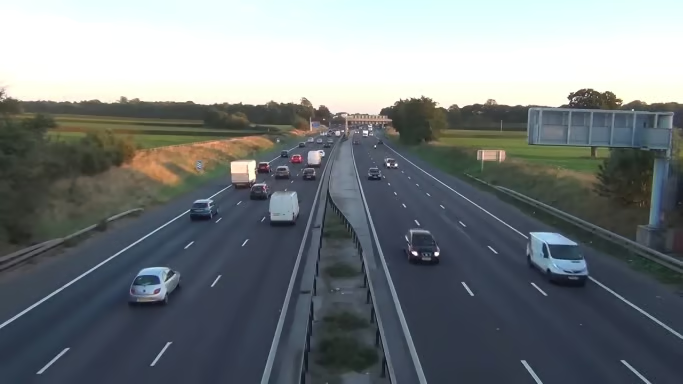
Here is before/after motion blur is applied to an image:
Original Image
Motion Blur Augmentation using a 100 pixel length, 90 degree angle (down) and 2 frames per blur length
.png?alt=media)
.png?alt=media)