> For the complete documentation index, see [llms.txt](https://docs.roboflow.com/llms.txt). Markdown versions of documentation pages are available by appending `.md` to page URLs; this page is available as [Markdown](https://docs.roboflow.com/deployment/ja/serufuhosuto/enterprise/deployment-manager/setting-up/set-up-device-alerts.md).
# デバイスアラートを設定
デバイス接続、ディスク使用量、カメラ FPS、推論 FPS の問題に関するメールアラートを設定します。
Roboflow Deployment Manager は、デバイスが期待どおりに動作していない可能性がある場合、たとえば次のようなときにメールアラートを送信できます。
* デバイスが Roboflow Cloud との接続を失う
* ディスク使用率が異常に高く、デバイスのパフォーマンスに影響する可能性がある
* 特定のストリームのカメラ FPS が低すぎる
* 特定のストリームの推論 FPS が低すぎる
* ある [PLC リレー](/deployment/ja/serufuhosuto/enterprise/deployment-manager/services/plc-relay.md) サービスが PLC との接続を失う
* ある [OPC UA サーバー](/deployment/ja/serufuhosuto/enterprise/deployment-manager/services/opc-ua-server.md) サービスがセッション上限に達したため、新しいクライアントを拒否する
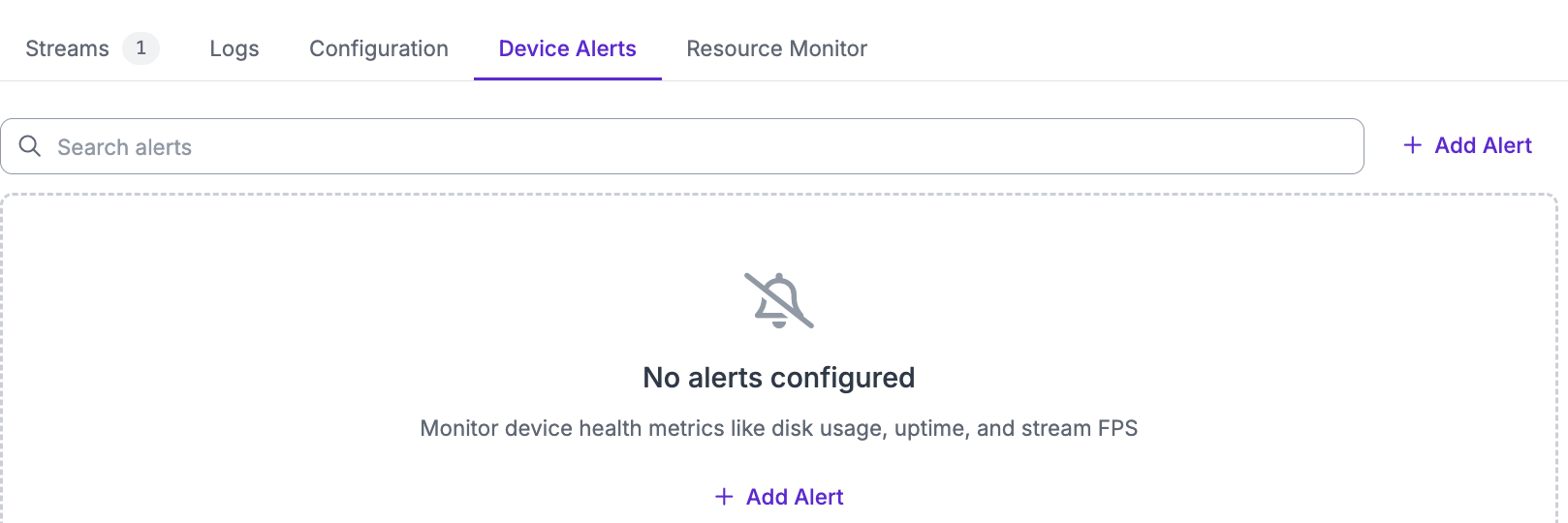
デバイスアラートを設定するには、Deployment Manager ダッシュボードから対象デバイスの個別ページに移動します。次に「Device Alerts」タブに移動し、「Add Alert」をクリックします。
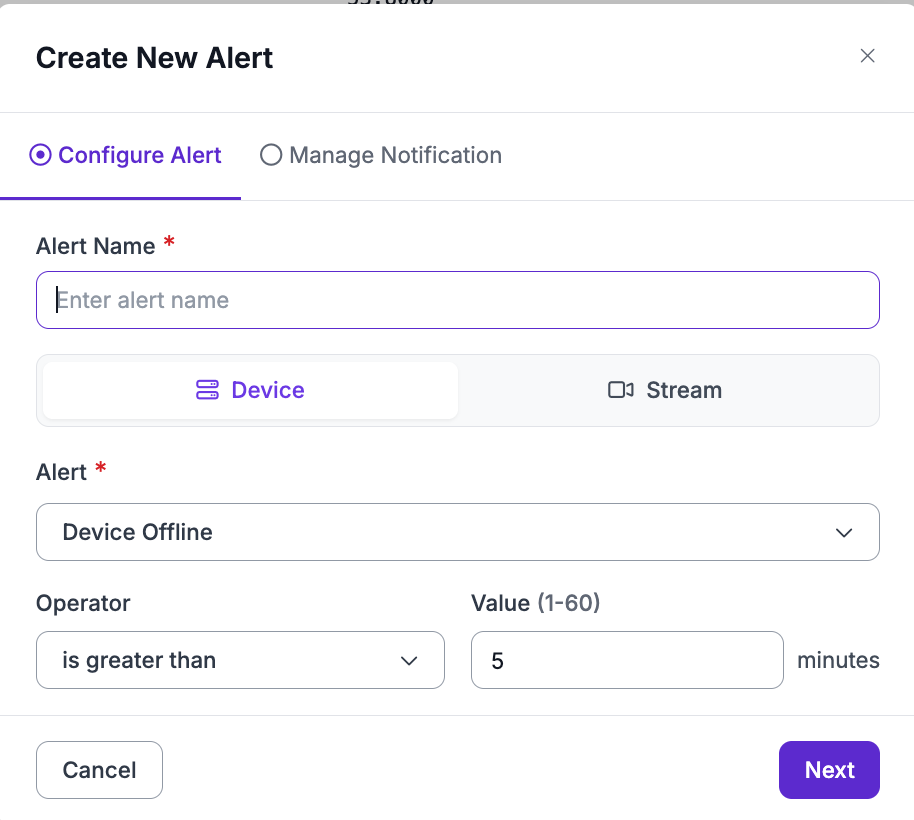
 開いたモーダルで、設定したいアラートを構成します
 次に「Manage Notification」をクリックすると、通知の受信者や頻度を設定でき、テスト通知も送信できます。
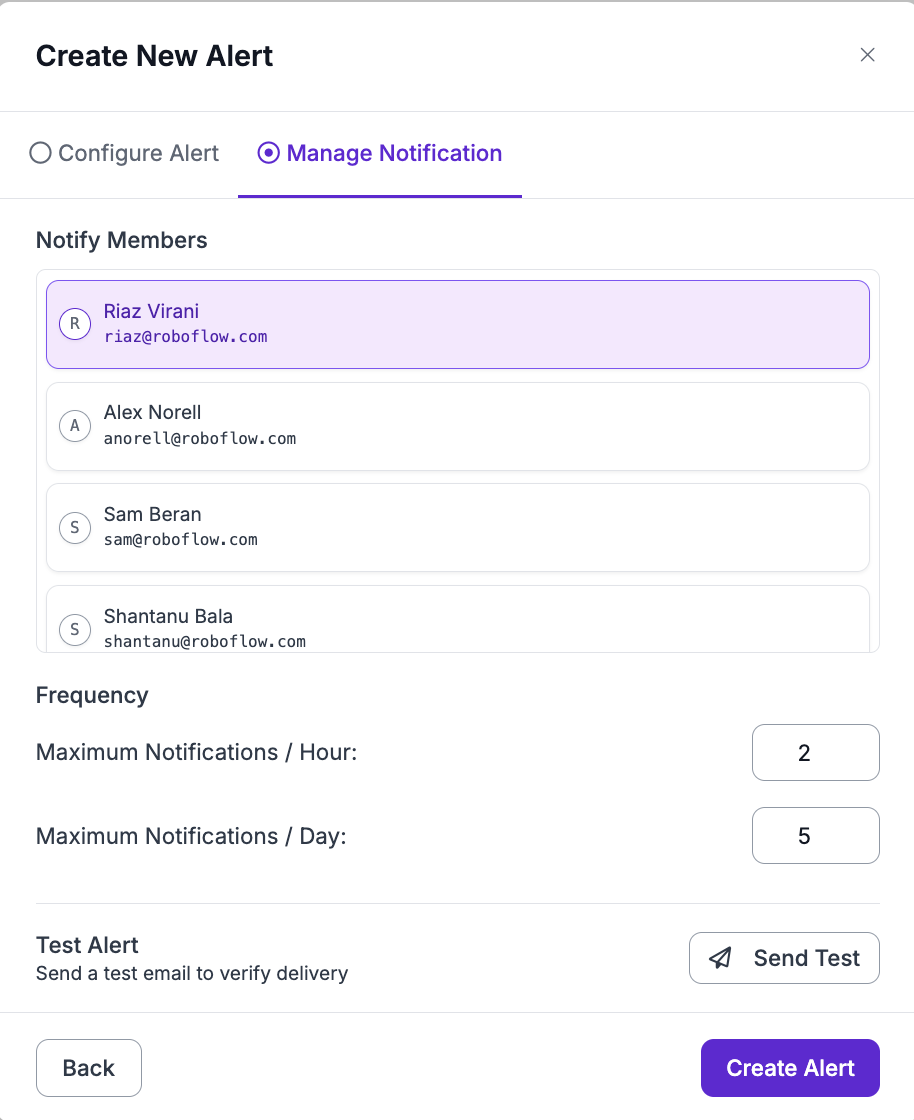 次に「Create Alert」をクリックすると、アラート一覧にアラートが表示されます。
