> For the complete documentation index, see [llms.txt](https://docs.roboflow.com/llms.txt). Markdown versions of documentation pages are available by appending `.md` to page URLs; this page is available as [Markdown](https://docs.roboflow.com/deployment/ko/self-hosted/enterprise/deployment-manager/making-changes/redeploy-deployment-manager.md).
# 배포 관리자 재배포
장애 후 Roboflow 구성을 복구하기 위해 기존 장치에 배포 관리자를 다시 배포합니다.
경우에 따라 기존 장치에 Deployment Manager를 다시 배포하고 싶을 수 있습니다. 이는 기존 장치가 손상되었거나 복구할 수 없는 하드웨어 장애가 발생했을 때 가장 흔합니다.
수동으로 작업하는 대신, 장치를 다시 배포하기만 하면 한 번의 단계로 모든 Roboflow 구성을 완전히 복구할 수 있습니다.
:warning: 첫 번째 장치가 아직 작동 중인 동안에는 Deployment Manager를 두 번째 장치에 다시 배포하지 않도록 해 주세요.
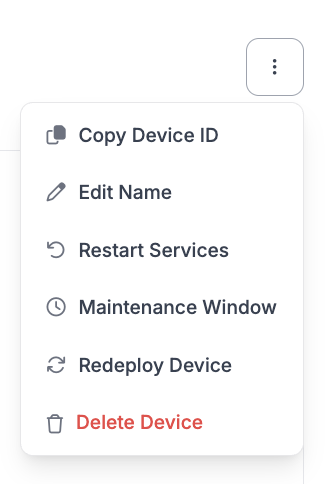
새 장치에 다시 배포하려면 해당 장치의 Deployment Manager 대시보드로 이동하세요. 그런 다음 오른쪽 상단의 옵션 메뉴를 열고 "Redeploy Device"를 클릭하세요.
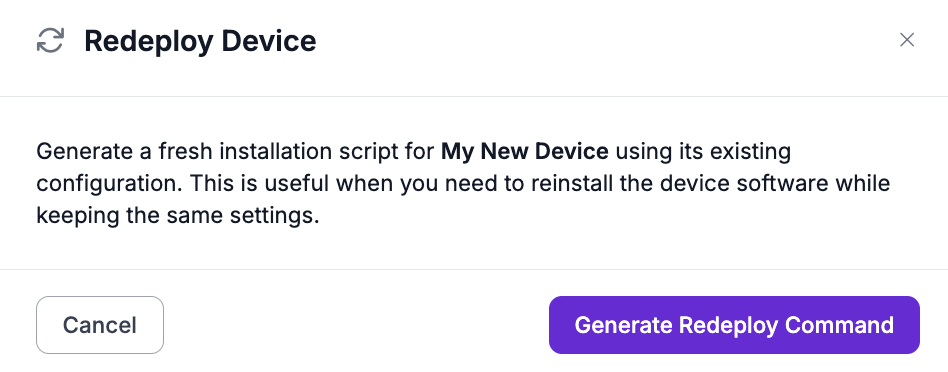
그다음 설치 스크립트를 받으려면 "Generate Redeploy Command"를 클릭하세요.
Roboflow OS 장치에서는 대신 "Generate Setup Code"를 클릭하세요. 그런 다음 새 Setup Code 또는 `device.json`와 동일한 방식으로 [장치 추가](/deployment/ko/self-hosted/enterprise/deployment-manager/setting-up/add-a-device.md#roboflow-os). 아래 단계는 Debian 장치에 대한 것입니다.
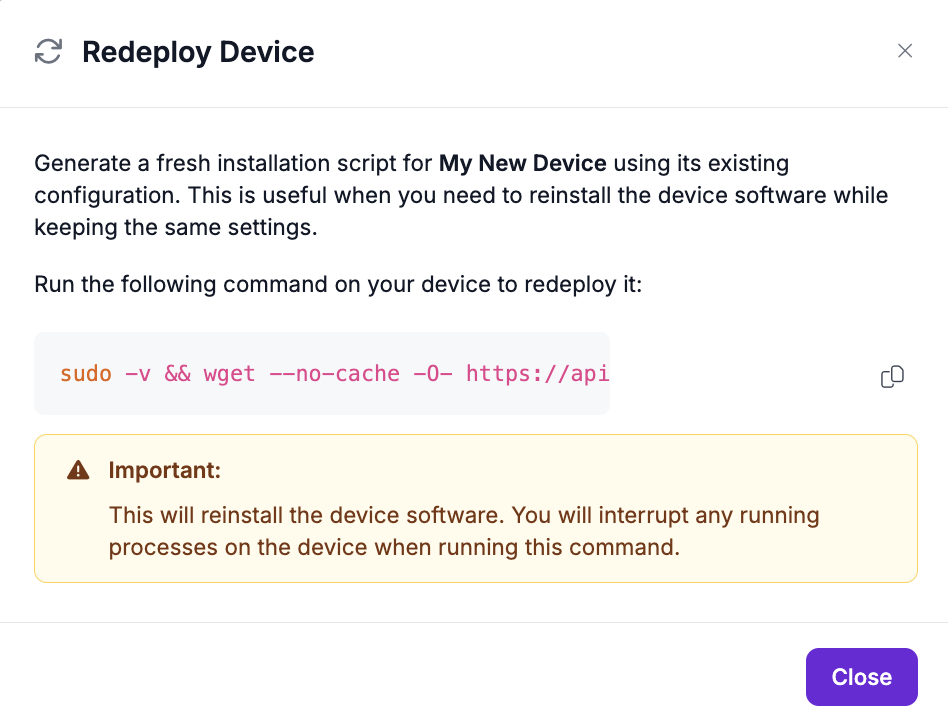
그런 다음 설치 스크립트를 복사하여 장치의 터미널에서 관리자 권한으로 실행하세요.
:warning: 설치 스크립트는 10분 동안만 활성화된 뒤 만료된다는 점에 유의하세요. 만료 후에는 설치 스크립트를 다시 생성해야 합니다.