
Make Requests to a Dedicated Deployment
You can make requests to a Dedicated Deployment directly with the Python SDK, using a HTTP API, or using the Workflows web interface.
Use Python SDK
Please install the latest version of our Python SDK inference_sdk with pip install --upgrade inference-sdk.
When your dedicated deployment is ready, copy its URL:

and paste it to the parameter api_url when initialise InferenceHTTPClient , and that's it!
Here is an example for running model inference, you can find more details in the documentation of inference_sdk.
The api_key_transport="header" setting sends the key only as an Authorization: Bearer header, keeping it out of URLs and logs: recommended for all new code. See API key transport.
Use HTTP API
You can also access the HTTP APIs which are listed under /docs, e.g,, https://dev-testing.roboflow.cloud/docs .
Send your workspace API key in the Authorization: Bearer header when you access these endpoints. Passing api_key as a query parameter is the legacy channel: it still works, but is not recommended.
Here is an example for making the same request as above using HTTP API:
Use Workflow UI
A dedicated deployment can also be used as the backend server for running Roboflow Workflows. Roboflow Workflows is a low-code, web-based application builder for creating computer vision applications.
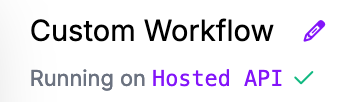
After creating your workflow, click on the "Running on Cloud API" link in the top left corner:
Click Dedicated Deployments to see the list of your dedicated deployments, select the target deployment, then click Connect:

Now you are ready to use your dedicated deployment in the workflow editor.
Copy a Workflow Code Snippet
You can also get code without opening the editor. In your list of dedicated deployments, click the "View Code Snippet" button on a running deployment, then pick a Workflow. The snippets that appear already point at that deployment's URL.
Last updated
Was this helpful?