> For the complete documentation index, see [llms.txt](https://docs.roboflow.com/llms.txt). Markdown versions of documentation pages are available by appending `.md` to page URLs; this page is available as [Markdown](https://docs.roboflow.com/get-started/ja/purattofmu/workspaces/rename-a-workspace.md).

# ワークスペースの名前を変更する

設定からワークスペース名を変更する方法と、名前変更によってスクリプトで使用されるワークスペースURLが変わる理由。

ワークスペースの設定から、ワークスペースの名前を変更できます。

{% hint style="warning" %}
ワークスペースの名前を変更すると、ワークスペースのURLも変わります。そのため、APIや推論スクリプト内のすべてのワークフローのエンドポイント、またはワークスペースへの参照を更新する必要があります。\
\
ワークスペースの名前を変更すると、古いワークスペースURLを使ってワークフローを呼び出す今後のスクリプトは動作しなくなります。スクリプトを更新して、新しいワークスペースIDを使う必要があります。
{% endhint %}

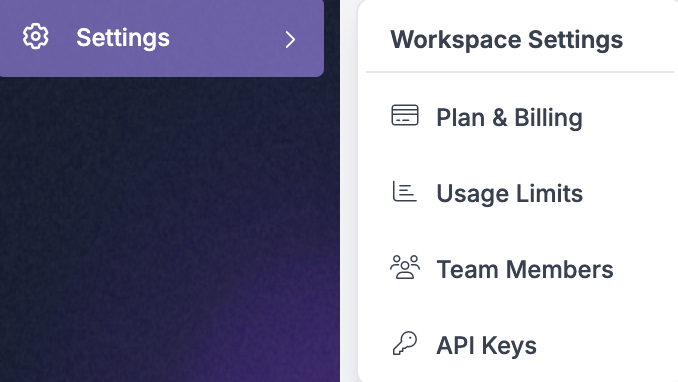
ワークスペースの名前を変更するには、Roboflowのサイドバーで「設定」をクリックし、次に「プランと請求」をクリックします。

<figure><img src="https://2537277549-files.gitbook.io/~/files/v0/b/gitbook-x-prod.appspot.com/o/spaces%2F1YMZNIiZMBdlCHUDeZMP%2Fuploads%2Fgit-blob-5789dd6ab71682448baf574d27a9d44b57f7905c%2FScreenshot%202025-05-20%20at%2020.16.55.png?alt=media" alt=""><figcaption></figcaption></figure>

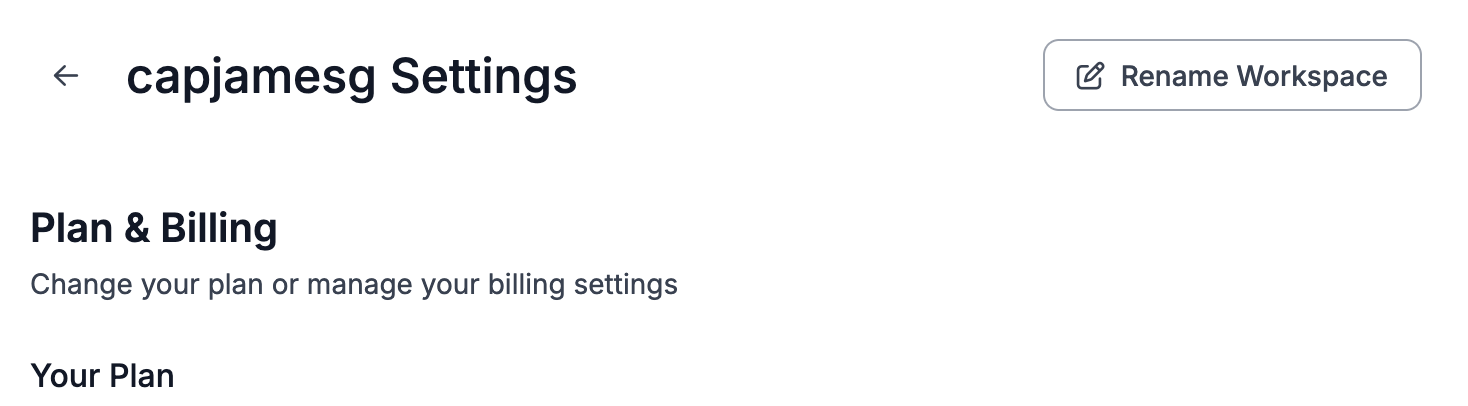
次に、ページ右上の「ワークスペース名を変更」ボタンをクリックします。

<figure><img src="https://2537277549-files.gitbook.io/~/files/v0/b/gitbook-x-prod.appspot.com/o/spaces%2F1YMZNIiZMBdlCHUDeZMP%2Fuploads%2Fgit-blob-803ab6d9cd17eae373e3470901b9e74473409086%2FScreenshot%202025-05-20%20at%2020.17.15.png?alt=media" alt=""><figcaption></figcaption></figure>

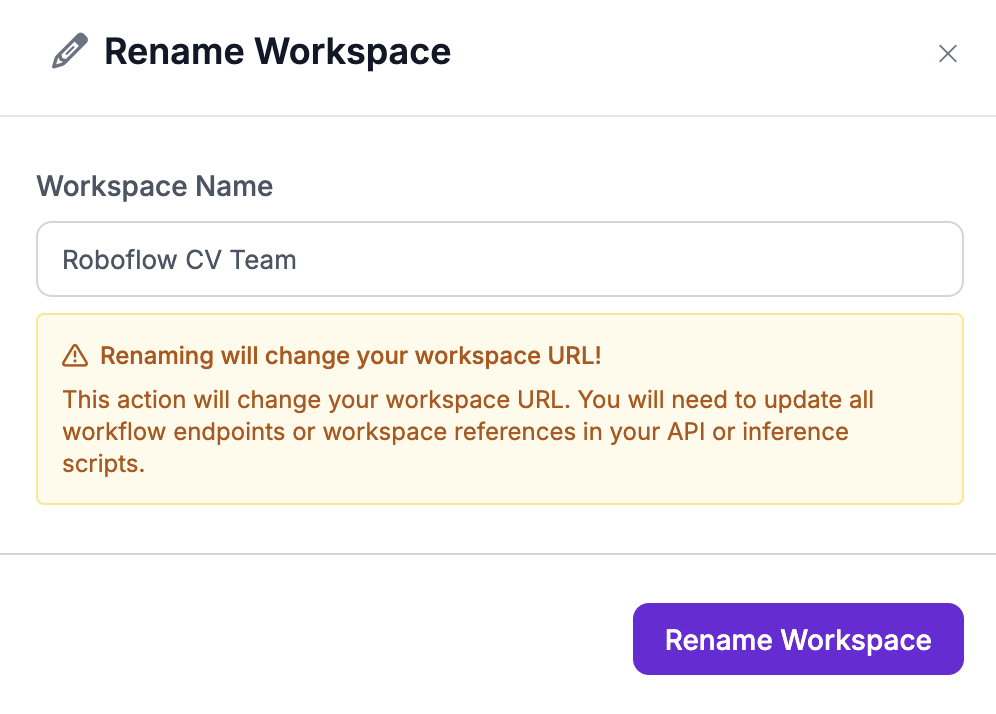
次に、ワークスペースの新しい名前を設定できます。

<figure><img src="https://2537277549-files.gitbook.io/~/files/v0/b/gitbook-x-prod.appspot.com/o/spaces%2F1YMZNIiZMBdlCHUDeZMP%2Fuploads%2Fgit-blob-58e8438d185445b49775551fd374481687ea80b8%2FScreenshot%202025-05-20%20at%2020.19.20.png?alt=media" alt=""><figcaption></figcaption></figure>

「ワークスペース名を変更」をクリックすると、ワークスペースの名前がすぐに変更されます。この操作は取り消せません。