> For the complete documentation index, see [llms.txt](https://docs.roboflow.com/llms.txt). Markdown versions of documentation pages are available by appending `.md` to page URLs; this page is available as [Markdown](https://docs.roboflow.com/models/supported-models/moondream2.md).
# Moondream2
Run the Moondream2 open-vocabulary detection API on a Dedicated Deployment or self-hosted Inference
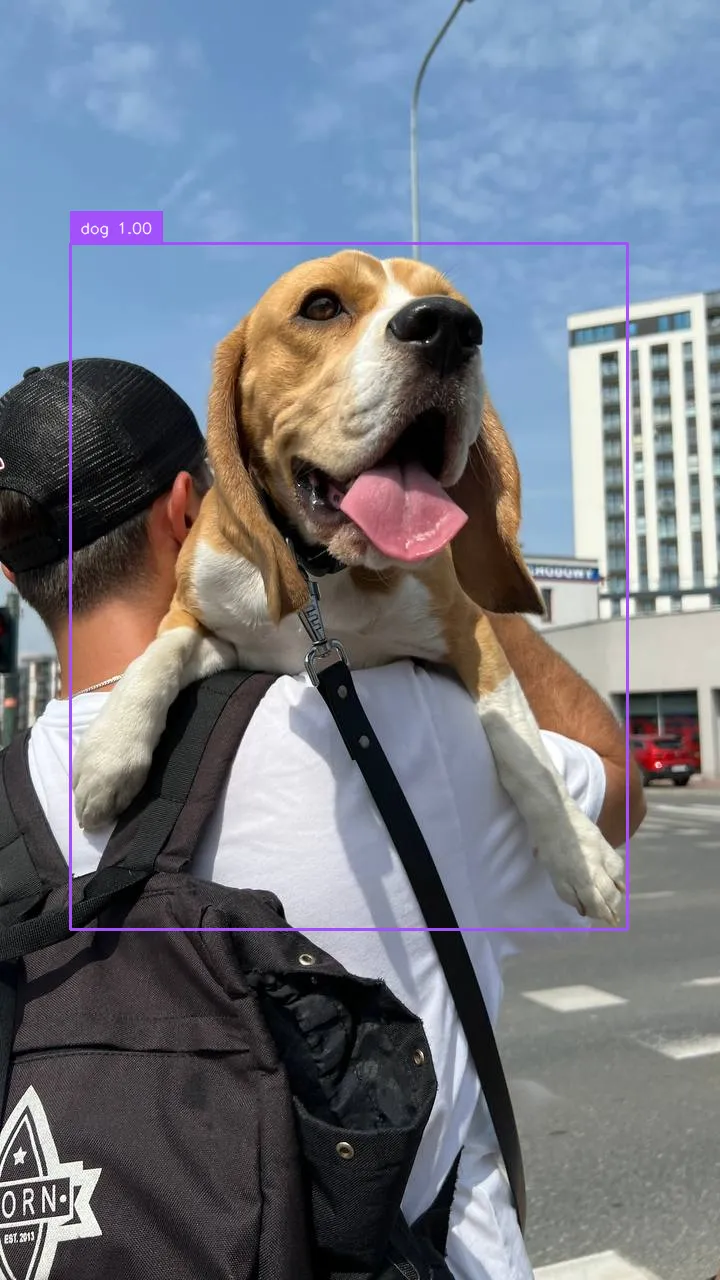
Moondream2 is a compact vision-language model. In Roboflow Inference, it is exposed as an open-vocabulary object detector: pass a class name as the prompt and receive bounding boxes for matching regions.
{% hint style="info" %}
Moondream2 is not available on the Serverless Cloud API. Run it on a [Dedicated Deployment](https://docs.roboflow.com/deployment/roboflow-cloud/dedicated-deployments) or [self-hosted Inference](https://docs.roboflow.com/deployment/self-hosted/self-hosted).
{% endhint %}
## Moondream2 API
{% stepper %}
{% step %}
### Get your API Key
Create a Roboflow account, find your key on the [Roboflow API settings page](https://app.roboflow.com/settings/api) and make it available to your shell:
```bash
export ROBOFLOW_API_KEY="your-key-here"
```
{% endstep %}
{% step %}
### Install the dependencies
Install the [Inference SDK](https://docs.roboflow.com/deployment/self-hosted/self-hosted) and [supervision](https://supervision.roboflow.com/):
```bash
pip install -U inference-sdk supervision opencv-python
```
{% endstep %}
{% step %}
### Run the model
Set `api_url` to your Dedicated Deployment URL or a local Inference server.
```python
import os
import cv2
import numpy as np
import supervision as sv
from inference_sdk import InferenceHTTPClient, InferenceConfiguration
image = sv.load_image_from_url("https://media.roboflow.com/notebooks/examples/dog.jpeg")
client = InferenceHTTPClient(
api_url="https://your-deployment.roboflow.cloud",
api_key=os.environ["ROBOFLOW_API_KEY"],
).configure(InferenceConfiguration(api_key_transport="header"))
result = client.infer_lmm(
image,
model_id="moondream2",
prompt="dog",
)
preds = result["predictions"]
xyxys = [
[p["x"] - p["width"] / 2, p["y"] - p["height"] / 2,
p["x"] + p["width"] / 2, p["y"] + p["height"] / 2]
for p in preds
]
detections = sv.Detections(
xyxy=np.array(xyxys, dtype=float),
class_id=np.array([p.get("class_id", 0) for p in preds]),
confidence=np.array([p.get("confidence", 1.0) for p in preds], dtype=float),
data={"class_name": np.array([p["class"] for p in preds])},
)
labels = [f"{p['class']} {p.get('confidence', 1.0):.2f}" for p in preds]
annotated = sv.BoxAnnotator().annotate(image.copy(), detections)
annotated = sv.LabelAnnotator().annotate(annotated, detections, labels=labels)
cv2.imwrite("dog_annotated.png", annotated)
```
{% endstep %}
{% endstepper %}
## Moondream2 inference speed
Latency measured with [Roboflow Inference](https://docs.roboflow.com/deployment/self-hosted/self-hosted) on 1x NVIDIA L4, batch size 1, captioning one image. Moondream2 cannot fix its output length, so latency varies with the response.
Alias
Latency (ms)
moondream2
1669
{% hint style="info" %}
Set `api_url` to match your deployment target:
* `http://localhost:9001` for a local [Inference](https://docs.roboflow.com/deployment/self-hosted/self-hosted) server.
* Your [Dedicated Deployment](https://docs.roboflow.com/deployment/roboflow-cloud/dedicated-deployments) URL for a private endpoint.
{% endhint %}
## Run Moondream2 with self-hosted Inference
Moondream2 can also be loaded directly with the [`inference`](https://docs.roboflow.com/deployment/self-hosted/self-hosted) package. Beyond detection, the model supports image captioning, point-prompt detection, and visual question answering.
{% stepper %}
{% step %}
### Install the package
```bash
pip install "inference[transformers]"
```
Use `inference-gpu[transformers]` on a GPU machine.
{% endstep %}
{% step %}
### Run the model
```python
from PIL import Image
from inference.models.moondream2.moondream2 import Moondream2
model = Moondream2(api_key="YOUR_API_KEY")
image = Image.open("dog.jpeg")
result = model.query(image, "How many dogs are in this image?")
print(result)
```
{% endstep %}
{% endstepper %}
### Execution modes in Workflows
When used in a [Workflow](https://docs.roboflow.com/workflows), Moondream2 runs in one of two modes:
* **Local execution**: the model runs on your Inference server (GPU recommended).
* **Remote execution**: the model is invoked over HTTP on a remote Inference server through the `infer_lmm()` client method.