> For the complete documentation index, see [llms.txt](https://docs.roboflow.com/llms.txt). Markdown versions of documentation pages are available by appending `.md` to page URLs; this page is available as [Markdown](https://docs.roboflow.com/models/supported-models/sam2.md).
# SAM2
Use Meta's SAM2 model through our Serverless Cloud API
We support Meta's [Segment Anything Model 2](https://github.com/facebookresearch/sam2) inferencing via our [Serverless Cloud API](https://docs.roboflow.com/deployment/roboflow-cloud/serverless-api). SAM2 is a promptable visual segmentation model that accepts points and bounding boxes as prompts. We offer two SAM2 endpoints:
* `/sam2/embed_image`, which generates and caches an image embedding
* `/sam2/segment_image`, which returns instance segmentation masks for the given prompts
## SAM2 API
Run SAM2 through the HTTP endpoint directly with `curl`, or with the [`inference-sdk`](https://docs.roboflow.com/reference/inference/inference-sdk) wrapper.
{% tabs %}
{% tab title="HTTP (curl)" icon="webhook" %}
{% stepper %}
{% step %}
### Get your API Key
Create a Roboflow account, find your key on the [Roboflow API settings page](https://app.roboflow.com/settings/api) and make it available to your shell:
```bash
export ROBOFLOW_API_KEY="your-key-here"
```
{% endstep %}
{% step %}
### Run the model
Call the `/sam2/segment_image` endpoint with `curl`:
```bash
curl --location 'https://serverless.roboflow.com/sam2/segment_image' \
--header 'Content-Type: application/json' \
--header "Authorization: Bearer $ROBOFLOW_API_KEY" \
--data '{
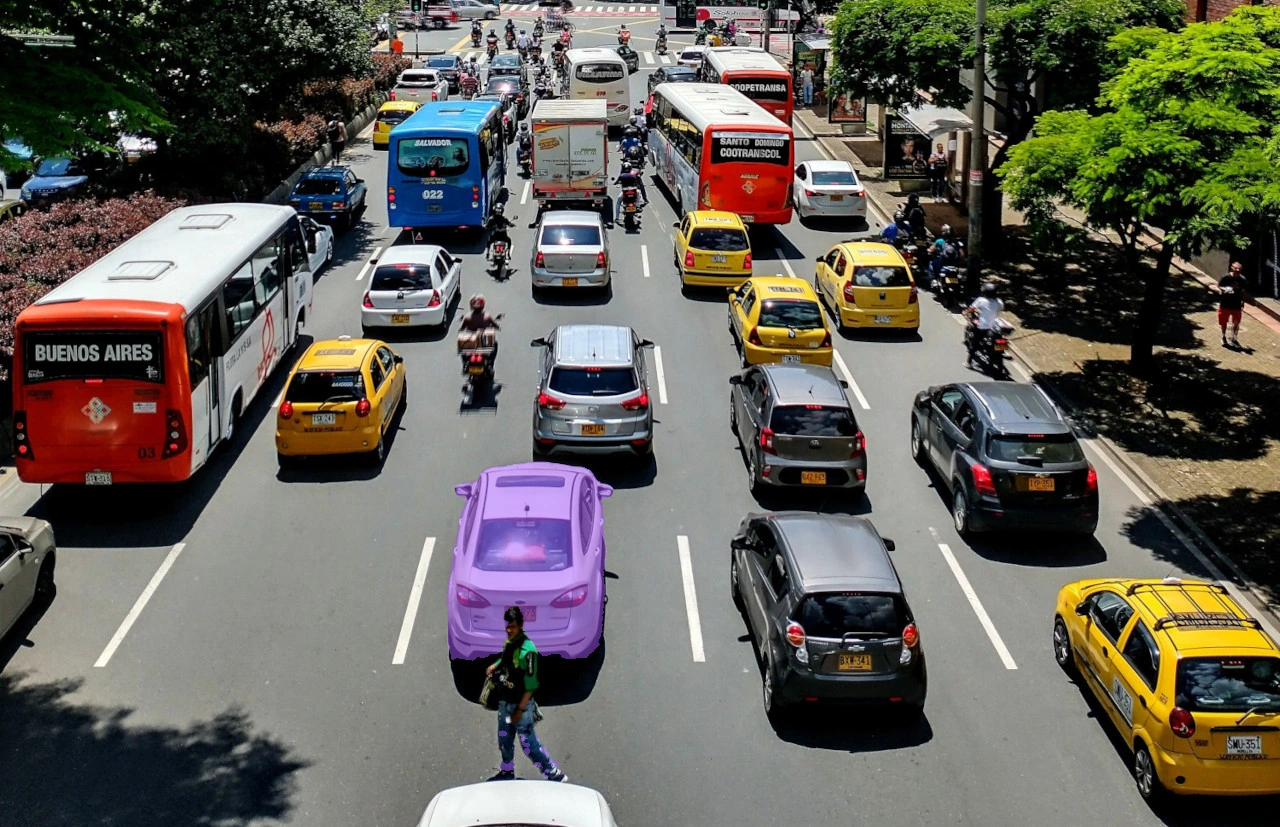
"image": {"type": "url", "value": "https://media.roboflow.com/quickstart/traffic.jpg"},
"prompts": {"prompts": [{"points": [{"x": 520, "y": 470, "positive": true}]}]},
"sam2_version_id": "hiera_tiny"
}'
```
{% endstep %}
{% endstepper %}
{% endtab %}
{% tab title="SDK (Python)" icon="python" %}
{% stepper %}
{% step %}
### Get your API Key
Create a Roboflow account, find your key on the [Roboflow API settings page](https://app.roboflow.com/settings/api) and make it available to your shell:
```bash
export ROBOFLOW_API_KEY="your-key-here"
```
{% endstep %}
{% step %}
### Install the dependencies
These packages call the model and draw its results:
```bash
pip install -U inference-sdk supervision opencv-python
```
{% endstep %}
{% step %}
### Run the model
Call the segmentation endpoint with a single positive point prompt, convert the returned polygons to detections with supervision, and save an annotated PNG with the mask drawn over the input image:
```python
import os
import cv2
import supervision as sv
from inference_sdk import InferenceHTTPClient, InferenceConfiguration
image = sv.load_image_from_url("https://media.roboflow.com/quickstart/traffic.jpg")
height, width = image.shape[:2]
client = InferenceHTTPClient(
api_url="https://serverless.roboflow.com",
api_key=os.environ["ROBOFLOW_API_KEY"],
).configure(InferenceConfiguration(api_key_transport="header"))
result = client.sam2_segment_image(
inference_input=image,
prompts=[
{"points": [{"x": 520, "y": 470, "positive": True}]}
],
sam2_version_id="hiera_tiny",
)
detections = sv.Detections.from_sam3(sam3_result=result, resolution_wh=(width, height))
annotated = sv.MaskAnnotator().annotate(image.copy(), detections)
cv2.imwrite("traffic_annotated.png", annotated)
```
`sv.Detections.from_sam3` reads the polygon predictions that both SAM2 and SAM3 return, so the same call decodes either model's output.
{% endstep %}
{% endstepper %}
{% endtab %}
{% endtabs %}
## SAM2 inference speed
Latency measured with [Roboflow Inference](https://docs.roboflow.com/deployment/self-hosted/self-hosted) on 1x NVIDIA L4, batch size 1, mean after warmup.
Model
Latency (ms)
sam2
177.7
Measured with `segment_image` on the `hiera_large` checkpoint. SAM2 caches image embeddings, so this figure uses a fresh image each call and reflects the full encode plus decode cost. Re-prompting an already-encoded image is substantially faster.
{% hint style="info" %}
Set `api_url` to match your deployment target:
* `https://serverless.roboflow.com` for the Serverless Cloud API.
* `http://localhost:9001` for a local [Inference](https://docs.roboflow.com/deployment/self-hosted/self-hosted) server.
* Your [Dedicated Deployment](https://docs.roboflow.com/deployment/roboflow-cloud/dedicated-deployments) URL for a private endpoint.
{% endhint %}
For additional usage details, including embedding caching and box prompts, see the [Inference documentation](https://docs.roboflow.com/deployment/self-hosted/self-hosted).
## Run SAM2 with self-hosted Inference
SAM2 can also be loaded directly with the [`inference`](https://docs.roboflow.com/deployment/self-hosted/self-hosted) package, or served from a GPU container you run yourself. This is the right path when you want to keep images on your own hardware, or when you are re-prompting the same image many times.
### Run in Docker
Build the SAM2 image from the root of the [inference repository](https://github.com/roboflow/inference):
```bash
docker build -f docker/dockerfiles/Dockerfile.sam2 -t sam2 .
```
Then start a server that exposes the SAM2 endpoints:
```bash
docker run -it --rm -v /tmp/cache/:/tmp/cache/ --gpus=all --net=host sam2
```
Point `api_url` at that server (`http://localhost:9001`) and the code samples above work unchanged.
{% hint style="warning" %}
SAM2 with flash attention has [a known issue](https://github.com/facebookresearch/sam2/issues/48) on some GPUs, including the L4 and A100. Apply the fix from that thread, or use the Docker image above, which already handles it.
{% endhint %}
### Load the model in Python
```python
import os
os.environ["API_KEY"] = "YOUR_API_KEY"
from inference.core.entities.requests.sam2 import Sam2PromptSet
from inference.core.utils.postprocess import masks2poly
from inference.models.sam2 import SegmentAnything2
model = SegmentAnything2(model_id="sam2/hiera_large")
image_path = "./hand.png"
# Precompute and cache the image embedding
embedding, img_shape, image_id = model.embed_image(image_path)
# Segment using the cached embedding
raw_masks, raw_low_res_masks = model.segment_image(image_path)
raw_masks = raw_masks >= model.predictor.mask_threshold
poly_masks = masks2poly(raw_masks)
```
Embeddings are cached automatically, so you can embed an image as soon as you know you will need it and re-prompt cheaply afterwards.
To refine a mask, send a negative point (`"positive": False`) to exclude a region:
```python
prompt = Sam2PromptSet(
prompts=[{"points": [{"x": 250, "y": 800, "positive": False}]}]
)
refined_masks, refined_low_res_masks = model.segment_image(image_path, prompts=prompt)
refined_masks = refined_masks >= model.predictor.mask_threshold
```
Available `model_id` values: `sam2/hiera_tiny`, `sam2/hiera_small`, `sam2/hiera_b_plus`, `sam2/hiera_large`.
## SAM2 video tracking in Workflows
The **SAM2 Video Tracker** block (`roboflow_core/segment_anything_2_video@v1`) runs SAM2's streaming video predictor frame by frame, keeping per-video temporal memory so object identities persist across frames. Feed it bounding boxes from an upstream detector: it converts each box to a mask and tracks it on subsequent frames, emitting segmentation predictions whose `tracker_id` stays stable for as long as SAM2 follows the object. Masks inherit the class name, class id, and confidence of the detection that prompted them.
* **Stateful and local-only.** The block keeps one tracking session per `video_metadata.video_identifier`, so it can multiplex many streams, but the session lives in process memory. It requires `WORKFLOWS_STEP_EXECUTION_MODE=local`, a GPU, and a persistent WebRTC session. It is not suitable for separate stateless HTTP requests.
* **Prompt scheduling.** `prompt_mode` controls when detector boxes are consumed as prompts: `first_frame` (default) prompts once per session then tracks silently; `every_n_frames` re-seeds every `prompt_interval` frames, picking up objects that entered the scene; `every_frame` re-seeds on every frame, acting as a per-frame detection-to-mask adapter with stable tracker ids.
* **Model variants.** `model_id` selects the Hiera backbone: `sam2video/tiny`, `sam2video/small` (default), `sam2video/base-plus`, `sam2video/large`. The block also accepts `sam3trackervideo`, SAM3's visually prompted tracker, which uses the same box-prompt contract with a much larger backbone. It holds identities better on long videos and in crowded scenes at higher compute cost: treat it as the maximum-quality tier and the `sam2video` sizes as the speed tiers.
```python
from inference_sdk import InferenceHTTPClient
from inference_sdk.webrtc import StreamConfig, VideoFileSource
WORKFLOW = {
"version": "1.0",
"inputs": [{"type": "InferenceImage", "name": "image"}],
"steps": [
{
"type": "roboflow_core/roboflow_object_detection_model@v2",
"name": "detector",
"images": "$inputs.image",
"model_id": "yolov8n-640",
},
{
"type": "roboflow_core/segment_anything_2_video@v1",
"name": "tracker",
"images": "$inputs.image",
"boxes": "$steps.detector.predictions",
"prompt_mode": "every_n_frames",
"prompt_interval": 30,
},
],
"outputs": [
{
"type": "JsonField",
"name": "predictions",
"selector": "$steps.tracker.predictions",
}
],
}
client = InferenceHTTPClient(
api_url="http://localhost:9001",
api_key="YOUR_API_KEY",
)
session = client.webrtc.stream(
source=VideoFileSource("path/to/video.mp4"),
workflow=WORKFLOW,
config=StreamConfig(data_output=["predictions"]),
)
@session.on_data("predictions")
def handle_predictions(predictions, metadata):
print(predictions)
session.run()
```
For open-vocabulary video tracking from text prompts, with no upstream detector, see the SAM3 Video Tracker block on the [SAM3 page](/models/supported-models/sam3.md).
### Execution modes in Workflows
When used in an image Workflow, SAM2 runs in one of two modes:
* **Local execution**: the model runs on your Inference server (GPU strongly recommended).
* **Remote execution**: the model is invoked over HTTP on a remote Inference server through the `sam2_segment_image()` client method.
## See also
* [SAM3](/models/supported-models/sam3.md) - segments every instance of a concept from a text prompt.
* [Segment Anything (SAM)](/models/supported-models/sam.md) - the original single-object model.