> For the complete documentation index, see [llms.txt](https://docs.roboflow.com/llms.txt). Markdown versions of documentation pages are available by appending `.md` to page URLs; this page is available as [Markdown](https://docs.roboflow.com/models/train/train-a-model.md).

# Train a Model

Train a model using state-of-the-art technology in the Roboflow dashboard.

## About

You can train computer vision models in the Roboflow interface.

Roboflow offers two training options:

* Roboflow Custom Train: Our flagship training service, ideal for creating production-ready models.
* [Neural Architecture Search](/models/train/neural-architecture-search.md): Discover novel model architectures and fine tune at the same time.

Also, when you approve your first batch of image annotations, a **Roboflow Instant Model** is automatically trained. These models can be used immediately for auto labeling or deployment.

Models trained on Roboflow can be deployed with Inference, our on-device inference server, or in the cloud using our Serverless Cloud API with Workflows, Batch Processing with Workflows, or with your model API endpoint.

{% hint style="info" %}
Read our [licensing guidance](https://roboflow.com/licensing) to learn more about how models trained on Roboflow are licensed. See [Model Licenses](/models/model-licenses.md) for each architecture's license and what deploying on Roboflow includes.
{% endhint %}

### Model Architectures

The architectures you can train depend on your project type. See the [Supported Models table](/models/supported-models.md).

* Object detection: RF-DETR offers the best accuracy.
* Instance segmentation: RF-DETR Seg (Preview) offers the best accuracy.
* Keypoint detection: "Roboflow RF-DETR Two-Stage" first finds each object, then predicts its keypoints. You pick a size for each stage.
* Semantic segmentation: RF-DETR is available in Nano through 2XL.

Model sizes vary by architecture (ex: RF-DETR offers Nano, Small, Medium, Large, XL, and 2XL). Core, including the Free Tier, supports larger model sizes. Training a [SAM3](/models/supported-models/sam3.md) model is available on Core with [credit-based billing](https://docs.roboflow.com/platform/billing-and-plans/credits).

RF-DETR is released under the Apache 2.0 license, so you can ship it in closed-source, commercial products, including self-hosted deployments, without paying a license fee or open-sourcing your code. RF-DETR XL and 2XL detection, RF-DETR semantic segmentation, and the RF-DETR Two-Stage keypoint model use the Roboflow Platform Model License (PML 1.0): commercial use is included when you deploy on Roboflow, and commercial self-hosting requires the Enterprise add-on. YOLO architectures (ex: YOLO11, YOLO26) are AGPL-3.0: deploying them on Roboflow includes a commercial license for every user, and commercial self-hosting is an Enterprise add-on. See [Model Licenses](/models/model-licenses.md).

[Neural Architecture Search](/models/train/neural-architecture-search.md) (NAS) is available for object detection, instance segmentation, and semantic segmentation in place of a single architecture. It trains and evaluates several model configurations, then recommends the best one for your accuracy and latency needs. NAS requires at least 15 validation images. See [NAS training charts](/models/evaluate/training-results.md#nas-training-charts).

### Checkpoints

Training from a checkpoint uses [Transfer Learning](https://blog.roboflow.com/what-is-transfer-learning/): the model starts from the weights of the model you select, which can reduce training time and improve scores. Object detection has three options:

* Previous checkpoint: start from an earlier version of your model (object detection, instance segmentation, and keypoint detection). Training is faster. Use it only when that model already performs well.
* Public checkpoint: the default, trained on Microsoft COCO. Use it for your first model, or when a previous run did not reach the results you expected. You can also train from a Universe project (object detection only) once you [star it in Universe](https://blog.roboflow.com/launch-universe-model-checkpoint/).
* Random initialization: start from random weights, with no Transfer Learning. This is for advanced users; most users see worse results.

Classification and semantic segmentation have one checkpoint, trained on ImageNet.

### Set a Credit Cap

You can limit how many credits one training run spends. Caps require a plan with [usage-based billing](https://docs.roboflow.com/platform/billing-and-plans/credits). Leave the cap blank to run without one.

When a run reaches its cap, Roboflow stops it and keeps the model weights, the same as [stopping training early](/models/train/cancel-a-training-job.md). While the job runs, the training shows how many of the capped credits it has used.

Each model has a minimum cap: the cost of the shortest run that can still produce a model. A smaller cap is rejected. A cap below the cost estimate is allowed, but the run will likely stop before it finishes.

[Neural Architecture Search](/models/train/neural-architecture-search.md) bills training and architecture search separately, so it has two caps. Setting one leaves the other phase uncapped.

If a capped run stops with credits to spare, you can continue it. The new run can spend what is left under the cap. If less is left than the model's minimum, start a new training instead.

### Duration and Cost

Training is priced on the length of the train job. See the [credits page](https://www.roboflow.com/credits). Students and researchers can [apply for additional credits](https://roboflow.com/contribute).

Larger datasets and larger images take longer to train. You receive an email when training finishes, in most cases within 24 hours.

Action Recognition versions trained with [Cosmos 3 Edge](/models/supported-models/cosmos-3-edge.md) are estimated from videos, not images. The estimate counts the version's videos, the length of each one, and the run's video sampling settings, so changing those settings changes the estimate. If the version is missing video details, there is no estimate. V-JEPA 2.1 trainings show no estimate.

### Train Multiple Models on a Version

You can train more than one model on the same dataset version to compare architectures or sizes against identical data. Each training runs and is evaluated independently, and the version page lists every training so you can switch between them.

### Train From the Agent

You can start a training from [Roboflow Agent](https://docs.roboflow.com/agents/roboflow-agent): open a project tab and click "Train", or ask in chat. You need the Train Model and List Versions permissions.

Before a chat request starts training, the Agent shows the estimated duration and credit cost for that exact setup: the typical cost, since training often stops early, and the cost of a full run over every epoch. Nothing starts until you confirm, and if the full-run estimate changes before the run begins, the Agent asks you to confirm the new number. If the version has not been exported yet, the Agent exports it first and training starts when the export is ready. If the project has no version, you can create one from the same screen.

## Web App

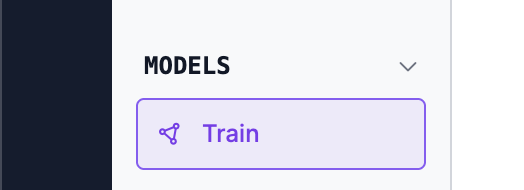
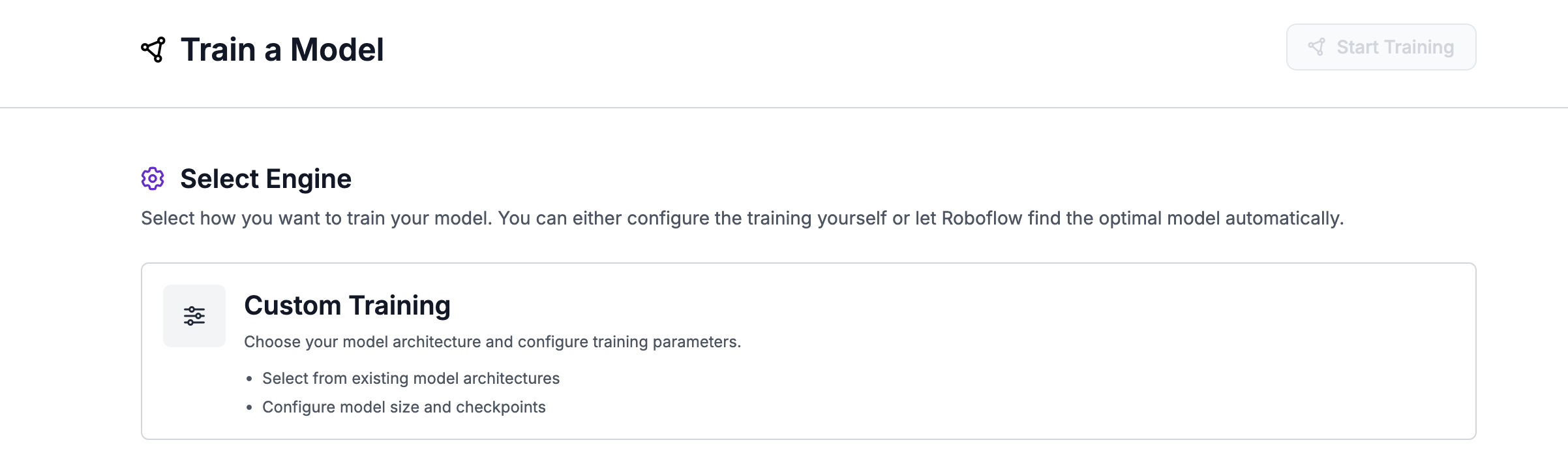
Open "Train" in the project navigation and click "Custom Training".

<figure><img src="https://3448603185-files.gitbook.io/~/files/v0/b/gitbook-x-prod.appspot.com/o/spaces%2Fcmo9mhfIjYrvFFy1U7dk%2Fuploads%2Fgit-blob-2d1f17a9d0b43e75da368beb4042aae04ffb3c74%2Fimage%20(469).png?alt=media" alt=""><figcaption></figcaption></figure>

<figure><img src="https://3448603185-files.gitbook.io/~/files/v0/b/gitbook-x-prod.appspot.com/o/spaces%2Fcmo9mhfIjYrvFFy1U7dk%2Fuploads%2Fgit-blob-1be2ba90f2fff0ea791352cb97bf033c4215651e%2Fimage%20(470).png?alt=media" alt=""><figcaption></figcaption></figure>

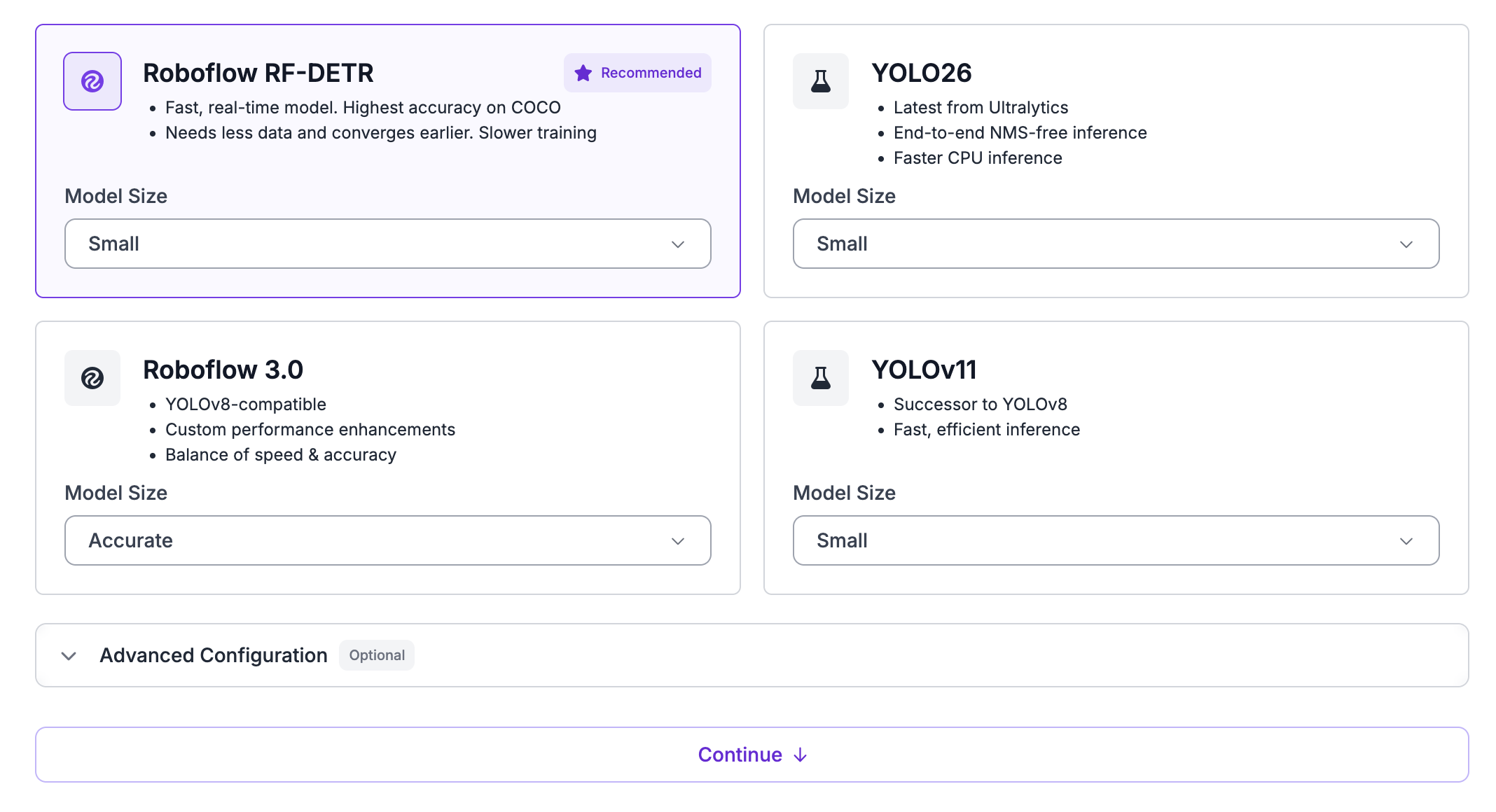
1. Choose a training engine: a single architecture or NAS.
2. Choose an architecture and a size. The list shows only the architectures your project type supports. SAM3 shows a "Request Feature" button until your Workspace has access.
3. Pick your data. You do not need a version first: "Current Dataset" uses your latest images and annotations, and Roboflow creates the version with the name and splits on the card when training starts. A saved version uses the data frozen in it.
4. Optionally adjust "Customize Training Recipe", which holds "Training Preprocessing", "Online Augmentations", "Checkpoint", "Hyperparameters", and, for NAS, "Latency Band".
5. Optionally enter a "Credit Cap" ("Training Credit Cap" and "Search Credit Cap" for NAS). The model's minimum appears under the input. See [Set a Credit Cap](#set-a-credit-cap).
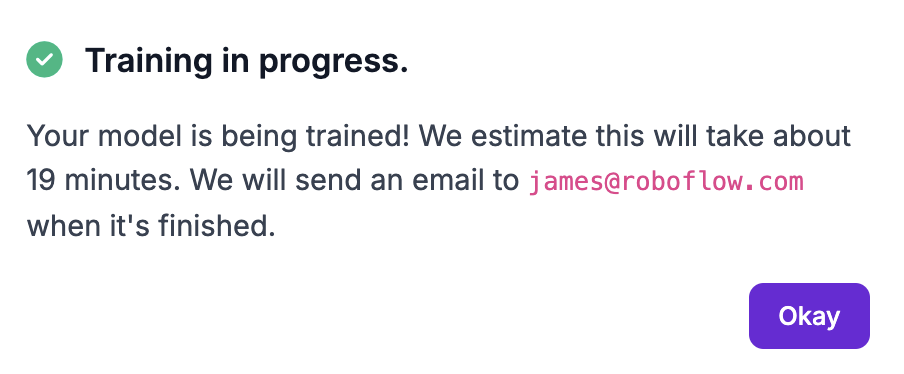
6. Review the estimated duration and credit cost in the training summary, then click "Start Training".

<figure><img src="https://3448603185-files.gitbook.io/~/files/v0/b/gitbook-x-prod.appspot.com/o/spaces%2Fcmo9mhfIjYrvFFy1U7dk%2Fuploads%2Fgit-blob-08cf55061739c4354386d454051aaa68ffbf5b02%2Fimage%20(472).png?alt=media" alt=""><figcaption></figcaption></figure>

<figure><img src="https://3448603185-files.gitbook.io/~/files/v0/b/gitbook-x-prod.appspot.com/o/spaces%2Fcmo9mhfIjYrvFFy1U7dk%2Fuploads%2Fgit-blob-18d9396cb8b4f7bf0e73319da14e3cb287251177%2FScreenshot%202025-05-14%20at%2014.12.53.png?alt=media" alt=""><figcaption></figcaption></figure>

To start from a saved version's settings, click "Reuse Preprocessing and Augmentations" (or "Copy Preprocessing and Augmentations to Current Dataset" for baked training) on its card. This copies its preprocessing, augmentations, class remapping, and tag filters into "Current Dataset", where you can edit them.

With a saved version, the recipe's preprocessing and augmentation rows are locked, since they were applied when the version was generated. Otherwise, "Training Preprocessing" and "Online Augmentations" apply only to that run and do not change the version. To see the settings a model used, select it on the version page and open its "Training Recipe" card.

## HTTP API

Once a project has a generated dataset version, you can queue a training job on it. The calling API key needs the `training-job:create` scope.

### Start a Training Job

Queues a training job on a dataset version. Training runs in the background: a `204` response means the job is queued, not finished. The response has no training ID. To follow progress, poll [Get Training Results](/models/evaluate/training-results.md#http-api), or [list the version's trainings](/models/model-ids.md#http-api) to find the new one.

If the version is not ready to train, the `400` error carries a `remedy` that names the fix, so a script or agent can act on it without reading the message. Plan limits apply the same way they do in the web app.

{% openapi src="/files/By6Chmwewc1wp3gv2ojv" path="/{workspace}/{project}/{version}/train" method="post" %}
[trainings.yaml](https://3448603185-files.gitbook.io/~/files/v0/b/gitbook-x-prod.appspot.com/o/spaces%2Fcmo9mhfIjYrvFFy1U7dk%2Fuploads%2Fgit-blob-d92b2fd01aad14ee25eb9bc03d302ad152c5767f%2Ftrainings.yaml?alt=media)
{% endopenapi %}

### Start a Training and Get Its ID

Takes the same fields as Start a Training Job, and returns the new `trainingId`. Use it when a version can hold several trainings and you want to stop, cancel, or read this one later.

{% openapi src="/files/By6Chmwewc1wp3gv2ojv" path="/{workspace}/{project}/{version}/v2/trainings" method="post" %}
[trainings.yaml](https://3448603185-files.gitbook.io/~/files/v0/b/gitbook-x-prod.appspot.com/o/spaces%2Fcmo9mhfIjYrvFFy1U7dk%2Fuploads%2Fgit-blob-d92b2fd01aad14ee25eb9bc03d302ad152c5767f%2Ftrainings.yaml?alt=media)
{% endopenapi %}

## Python SDK

`Version.train()` schedules training on the Roboflow platform. The call returns once the job is queued - training itself runs asynchronously.

```python
import roboflow

rf = roboflow.Roboflow(api_key="YOUR_API_KEY")
project = rf.workspace().project("my-detector")

# Create a version with preprocessing and augmentation if you don't have one yet.
new_version = project.generate_version({
    "preprocessing": {
        "auto-orient": True,
        "resize": {"width": 640, "height": 640, "format": "Stretch to"},
    },
    "augmentation": {},
})
version = project.version(new_version)

# Schedule training.
model = version.train(
    model_type="rfdetr-nano",   # pass an invalid value to get the full list back as an error
    checkpoint=None,             # optional: resume from a previous checkpoint
    epochs=100,                  # optional: defaults are model-type-dependent
    plot_in_notebook=False,      # display a training-progress plot (notebook only)
)
```

### Parameters

* `model_type` (str) - architecture identifier. Common values: `rfdetr-nano`, `rfdetr-base`, `yolov8`, `yolov11`. Project-type dependent. Pass an invalid value to get the full list back as an error.
* `speed` (str, optional) - `"fast"` (default) or `"accurate"`. Accurate training is a paid feature.
* `checkpoint` (str, optional) - id of a checkpoint to resume from.
* `epochs` (int, optional) - number of epochs. Defaults are model-type-dependent.
* `plot_in_notebook` (bool, default `False`) - display training progress inline (notebook only).

### After training

Once training completes, the `Version`'s `.model` property returns the hosted model:

```python
predictions = version.model.predict("photo.jpg", confidence=40, overlap=30).json()
```

See [Run a Model on an Image](https://docs.roboflow.com/deployment/roboflow-cloud/serverless-api#python-sdk) for the full inference reference.

## CLI

You can start model training from the command line. Training runs on Roboflow's cloud infrastructure.

### Command

```bash
roboflow train start -p <project> -v <version> -t <model-type>
```

Or use the shorthand (without `start`):

```bash
roboflow train -p <project> -v <version> -t <model-type>
```

#### Options

| Flag              | Description                               |
| ----------------- | ----------------------------------------- |
| `-p`, `--project` | Project ID (required)                     |
| `-v`, `--version` | Version number (required)                 |
| `-t`, `--type`    | Model type, e.g. `yolov8n`, `rfdetr-nano` |
| `--checkpoint`    | Checkpoint to resume training from        |
| `--speed`         | Training speed preset                     |
| `--epochs`        | Number of training epochs                 |

### Examples

Start training with a specific model type:

```bash
roboflow train start -p my-detector -v 3 -t yolov8n
```

Resume from a checkpoint:

```bash
roboflow train start -p my-detector -v 3 -t yolov8n --checkpoint my-checkpoint
```

### JSON Output

```bash
roboflow train start -p my-detector -v 3 -t yolov8n --json
```

```json
{
  "status": "training_started",
  "project": "my-detector",
  "version": 3
}
```

## MCP Server

Connect your AI agent to the [MCP Server](https://docs.roboflow.com/agents/mcp-server) and it can train a model with these tools:

<table data-search="false"><thead><tr><th width="290">Tool</th><th>Description</th></tr></thead><tbody><tr><td><code>trainings_describe_recipe</code></td><td>Describe the tuning options for a model type and return a ready-to-submit recipe.</td></tr><tr><td><code>trainings_create</code></td><td>Start a training run on a dataset version.</td></tr><tr><td><code>trainings_get</code></td><td>Get a training's status, produced models, and metrics.</td></tr><tr><td><code>trainings_list</code></td><td>List the training runs on a dataset version.</td></tr></tbody></table>

## Next steps

* [Stop or cancel a training job](/models/train/cancel-a-training-job.md).
* Review how your model performed and compare training runs. See [Evaluate Trained Models](/models/evaluate/evaluate-trained-models.md).
* Deploy your model with the [Serverless Cloud API](https://docs.roboflow.com/deployment/roboflow-cloud/serverless-api).
