> For the complete documentation index, see [llms.txt](https://docs.roboflow.com/llms.txt). Markdown versions of documentation pages are available by appending `.md` to page URLs; this page is available as [Markdown](https://docs.roboflow.com/platform/workspaces/delete-a-workspace.md).
# Delete a Workspace
How to delete a non-default Roboflow workspace from Settings.
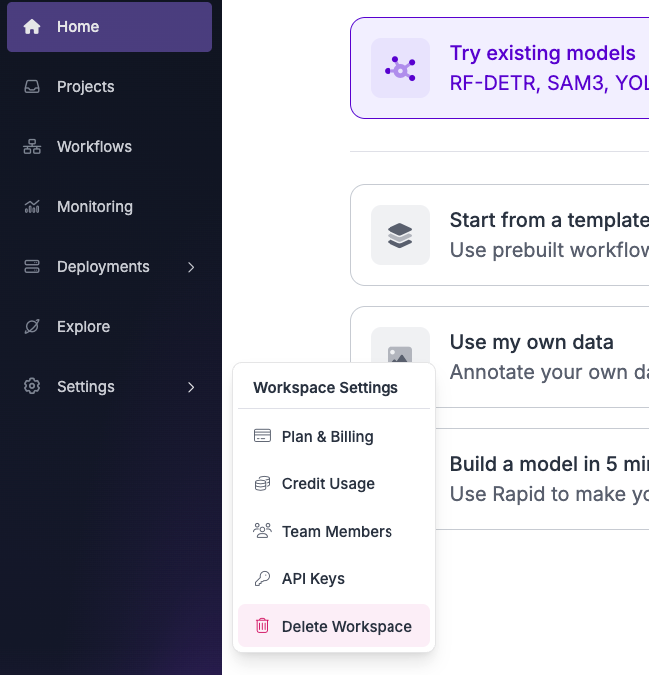
To delete your Workspace, click on "Settings" button on the left sidebar and then on the "Delete Workspace".
{% hint style="warning" %}
You can only delete non-default Workspaces.
{% endhint %}
{% hint style="info" %}
Workspaces on an Enterprise plan cannot be deleted from Settings. The "Delete Workspace" button is hidden, and the API returns a 403 error. Contact to delete an Enterprise Workspace.
{% endhint %}
Each user gets the default Workspace which can't be manually deleted. You can also delete your account in [app.roboflow.com/settings/account](https://app.roboflow.com/settings/account), which will delete both your account and the default Workspace that's linked to your account.