> For the complete documentation index, see [llms.txt](https://docs.roboflow.com/llms.txt). Markdown versions of documentation pages are available by appending `.md` to page URLs; this page is available as [Markdown](https://docs.roboflow.com/roboflow/roboflow-hi/datasets/adding-data/roboflow-universe.md).
# Roboflow Universe से Import करें
Roboflow Universe computer vision के लिए open-source datasets और pre-trained models होस्ट करता है। 200,000 से अधिक datasets और 50,000 pre-trained models उपलब्ध हैं। अपने dataset में Universe images जोड़ने के दो तरीके हैं। आप पूरा dataset डाउनलोड कर सकते हैं या अपने projects में उपयोग के लिए Roboflow Universe से चुनिंदा images clone कर सकते हैं।
### पूरा Dataset डाउनलोड करें
सबसे पहले, Roboflow Universe पर एक dataset खोजें। फिर, `Download Dataset` बटन पर क्लिक करें। एक pop-up दिखाई देगा, जो आपसे पूछेगा कि आप अपना data किस format में export करना चाहते हैं। दिखाई देने वाले विकल्प उस computer vision task के अनुकूल formats हैं जिसे model हल करता है (object detection, classification, segmentation)।
आप या तो ZIP file export करके सीधे Roboflow Universe से अपना dataset डाउनलोड कर सकते हैं, या आप एक code snippet प्राप्त कर सकते हैं जिसका उपयोग आप dataset डाउनलोड करने के लिए कर सकते हैं। दिए गए code snippets तब उपयोगी हो सकते हैं जब आप dataset को किसी notebook में उपयोग कर रहे हों।
### अपने Roboflow Project में Images Clone करें
एक बार जब आपने [एक नया Project बनाया](/roboflow/roboflow-hi/datasets/create-a-project.md) अपने Roboflow account में, यहां जाएं [Roboflow Universe](https://universe.roboflow.com/?ref=blog.roboflow.com) और उपयोग करें [Dataset Search](https://blog.roboflow.com/dataset-search/) अपने use case के लिए उपयुक्त images वाले projects खोजने के लिए।
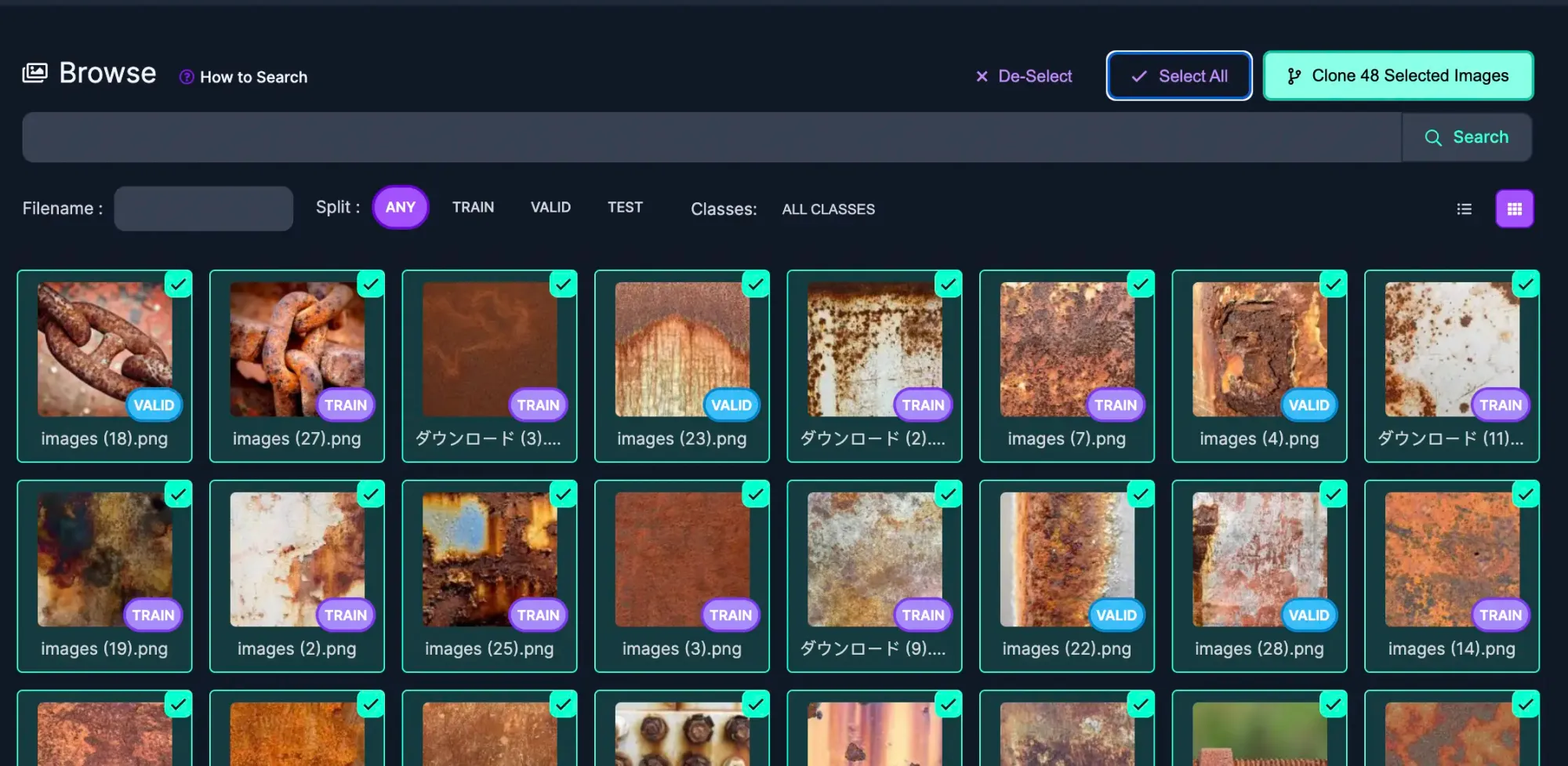
जब आपको ऐसी images और/या annotations वाला Project मिल जाए जो आपके लिए काम करता हो, तो Images page खोलें और clone करने के लिए images चुनें। आप image पर माउस ले जाकर और image के ऊपरी दाएं कोने में checkbox पर क्लिक करके अलग-अलग images चुन सकते हैं। Bulk में images जोड़ने के लिए, आप Select All पर क्लिक करके वर्तमान results page पर दिखाई देने वाली सभी images clone कर सकते हैं।
अपने Project में clone करने के लिए images चुनें
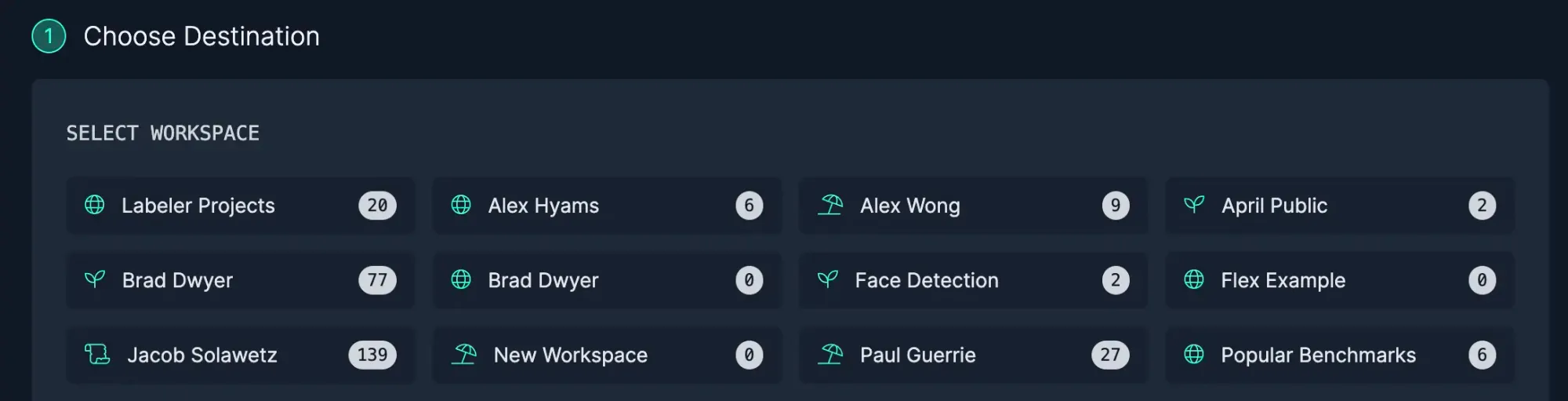
जिन images को आप अपने project में clone करना चाहते हैं, उन्हें चुनने के बाद, Clone Images पर क्लिक करें और वह Workspace चुनें जिसमें Project मौजूद है।
Project का पता लगाने के लिए एक Workspace चुनें
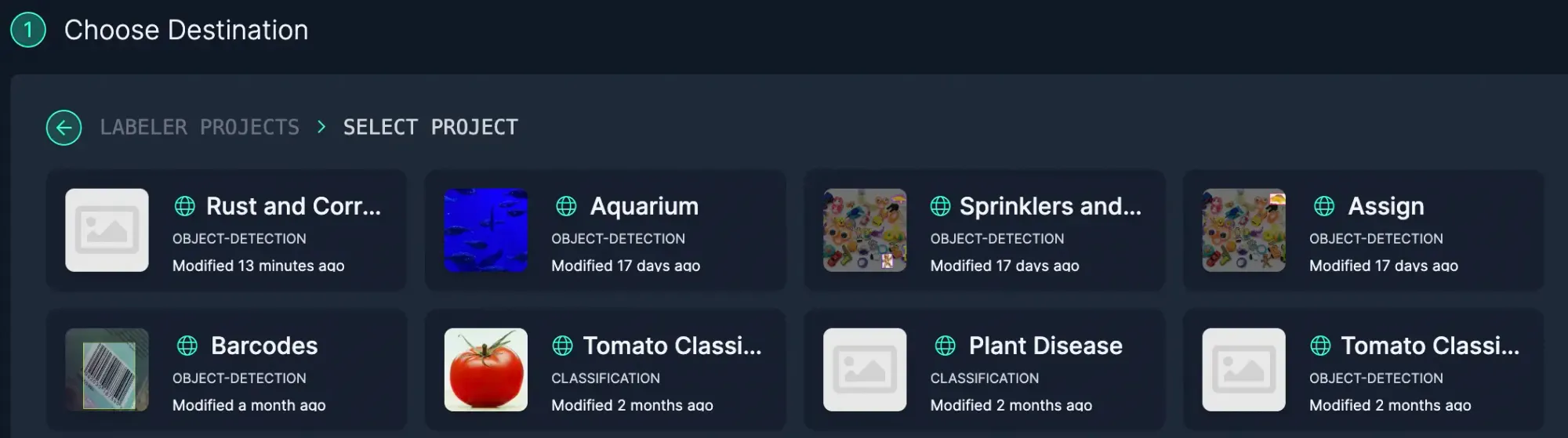
Workspace चुनें और फिर उस Project को चुनें जिसमें images जोड़नी हैं Dataset में।
किसी specific project में images clone करें
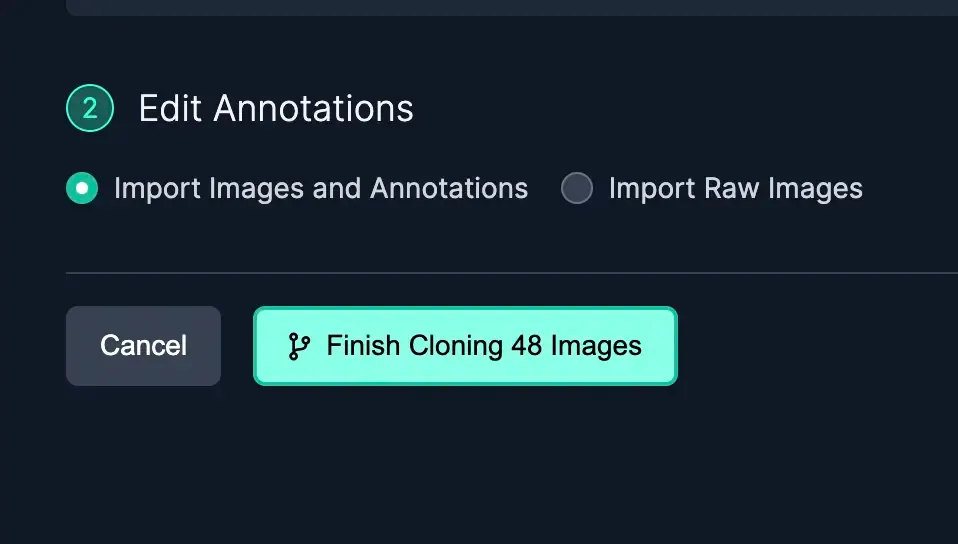
जब images को अपने Project में clone कर रहे हों, तब आप annotations के साथ या बिना images import कर सकते हैं। जैसे-जैसे आप images को अपने dataset में clone करते हैं, augmentations वाली images शामिल नहीं होंगी और आप [अपनी स्वयं की augmentations लागू कर सकेंगे](https://blog.roboflow.com/boosting-image-detection-performance-with-data-augmentation/) जब आप dataset generate करते हैं।
Annotations के साथ या बिना image clone करें
Raw images (annotations के बिना images) import करना एक उपयोगी विकल्प है, जब:
* आपको ऐसी images मिलती हैं जिनमें वह object होता है जिसमें आपकी रुचि है, लेकिन annotations संभवतः उस object पर केंद्रित नहीं होते जिसे आप अपने model को पहचानने के लिए train करने की योजना बना रहे हैं
* आपको एक classification dataset मिलता है, लेकिन आपके project को bounding boxes की आवश्यकता होती है
* आप उपयोग करना चाहते हैं [polygon annotations](https://blog.roboflow.com/automated-polygon-labeling-computer-vision/) लेकिन project में bounding boxes हैं
{% hint style="success" %}
Roboflow जांच करेगा कि क्या आप ऐसी images जोड़ने की कोशिश कर रहे हैं जो पहले से मौजूद हैं। चिंता न करें: आप duplicate images नहीं जोड़ पाएंगे।
{% endhint %}
#### आपको आवश्यक data खोजने के लिए Advanced Tips
का उपयोग करें [Dataset Search](https://blog.roboflow.com/dataset-search/) ठीक वही data खोजने के लिए जिसकी आपको अपने model को fine tune करने हेतु आवश्यकता है। उदाहरण के लिए, यदि हमारा rust detection model pipes पर rust का पता लगाने में संघर्ष कर रहा हो, तो हम dataset में जोड़ने के लिए pipes की और images ढूंढना चाहेंगे। Projects और व्यापक रूप से Roboflow Universe में rich semantic search का उपयोग करके आप वह niche data पा सकते हैं जिसकी आपको आवश्यकता है।
research datasets के भीतर Dataset Search का उपयोग करने से आप मॉडल को शुरू करने में मदद के लिए बड़ी मात्रा में काफी अच्छी तरह labeled data जल्दी एकत्र कर सकते हैं।
विशिष्ट data खोजने का एक और तरीका है [Health Check page](https://docs.roboflow.com/dataset-health-check?ref=blog.roboflow.com) और किसी specific class पर क्लिक करना है। यह आपको Images page पर ले जाएगा, जहां वह class परिणामों के शीर्ष पर फ़िल्टर की गई होगी।
यदि आपको Roboflow Universe में आवश्यक data नहीं मिलता, तो आप हमेशा [API के माध्यम से अपना data upload कर सकते हैं](https://docs.roboflow.com/developer/images/upload-images) या YouTube का उपयोग कर सकते हैं[ videos को training data के रूप में](https://blog.roboflow.com/youtube-video-computer-vision/).