> For the complete documentation index, see [llms.txt](https://docs.roboflow.com/llms.txt). Markdown versions of documentation pages are available by appending `.md` to page URLs; this page is available as [Markdown](https://docs.roboflow.com/roboflow/roboflow-jp/annotate/ai-labeling/enhanced-smart-polygon-with-sam/smart-polygon.md).
# Smart Polygon (Legacy)
{% hint style="info" %}
Roboflow では現在、 [強化された Smart Polygon の体験を提供しています](/roboflow/roboflow-jp/annotate/ai-labeling/enhanced-smart-polygon-with-sam.md) Segment Anything Model (SAM) を搭載しています。
{% endhint %}
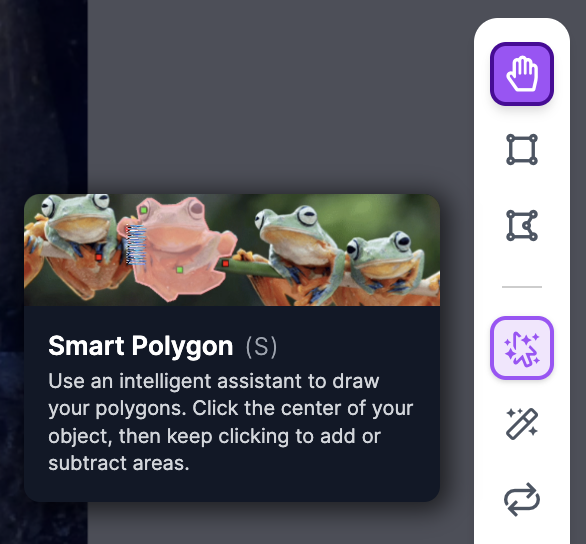
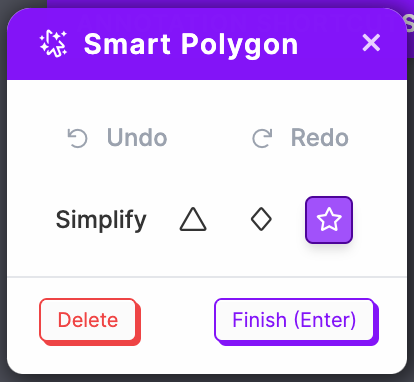
Smart Polygon は、Roboflow Annotate で利用できるアノテーションアシスタントです。Smart Polygon を使うと、画像内のオブジェクトに対するポリゴンアノテーションを生成できます。
## Smart Polygon の使い方
Smart Polygon 機能を使用するには、ラベリングツールバーで Smart Polygon をクリックします(ショートカットキー: `S`).
## セグメンテーションレイヤーを可視化する
Smart Polygon は、セマンティックセグメンテーションデータのラベリングにも役立ちます。モデルをどのように学習させたいかに合わせてマスクが適切に重なるよう、オブジェクトの z-index を正しく順序付けてください。重なりは、次を使って可視化できます。 `Layers` タブはサイドバーにあります。これにより、ラスタライズ後のセグメンテーションマスクがどのように見えるかを理解しやすくなります。
その `Layers` タブはすべての Roboflow プロジェクトタイプで利用できます。並び順を変えずにバウンディングボックスを編集するには `Layers`、編集したい Layer/annotation をその `Layers` タブでクリックし、その後で編集してください。
---
# Agent Instructions
This documentation is published with GitBook. GitBook is the documentation platform designed so that both humans and AI agents can read, navigate, and reason over technical content effectively. Learn more at gitbook.com.
## Querying This Documentation
If you need additional information that is not directly available in this page, you can query the documentation dynamically by asking a question.
Perform an HTTP GET request on the current page URL with the `ask` query parameter:
```
GET https://docs.roboflow.com/roboflow/roboflow-jp/annotate/ai-labeling/enhanced-smart-polygon-with-sam/smart-polygon.md?ask=
```
The question should be specific, self-contained, and written in natural language.
The response will contain a direct answer to the question and relevant excerpts and sources from the documentation.
Use this mechanism when the answer is not explicitly present in the current page, you need clarification or additional context, or you want to retrieve related documentation sections.