> For the complete documentation index, see [llms.txt](https://docs.roboflow.com/llms.txt). Markdown versions of documentation pages are available by appending `.md` to page URLs; this page is available as [Markdown](https://docs.roboflow.com/roboflow/roboflow-jp/datasets/adding-data/roboflow-universe.md).
# Roboflow Universe からインポート
Roboflow Universeでは、コンピュータビジョン向けのオープンソースのデータセットと事前学習済みモデルを提供しています。200,000以上のデータセットと50,000以上の事前学習済みモデルが利用可能です。Universeの画像をデータセットに追加する方法は2つあります。データセット全体をダウンロードするか、Roboflow Universeから選択した画像をクローンして、プロジェクトで使用できます。
### 完全なデータセットをダウンロードする
まず、Roboflow Universeでデータセットを見つけます。次に、 `Download Dataset` ボタンをクリックします。データを書き出す形式を選ぶよう求めるポップアップが表示されます。表示されるオプションは、モデルが解くコンピュータビジョンタスク(object detection、classification、segmentation)に対応した形式です。
ZIPファイルを書き出してRoboflow Universeからデータセットを直接ダウンロードすることも、データセットをダウンロードするために使用できるコードスニペットを取得することもできます。提供されるコードスニペットは、ノートブックでデータセットを使用する場合に便利です。
### Roboflow Projectに画像をクローンする
一度 [新しいProjectを作成した](/roboflow/roboflow-jp/datasets/create-a-project.md) Roboflowアカウントで、 [Roboflow Universe](https://universe.roboflow.com/?ref=blog.roboflow.com) に進み、 [Dataset Search](https://blog.roboflow.com/dataset-search/) を使って、用途に合う画像を含むProjectを見つけます。
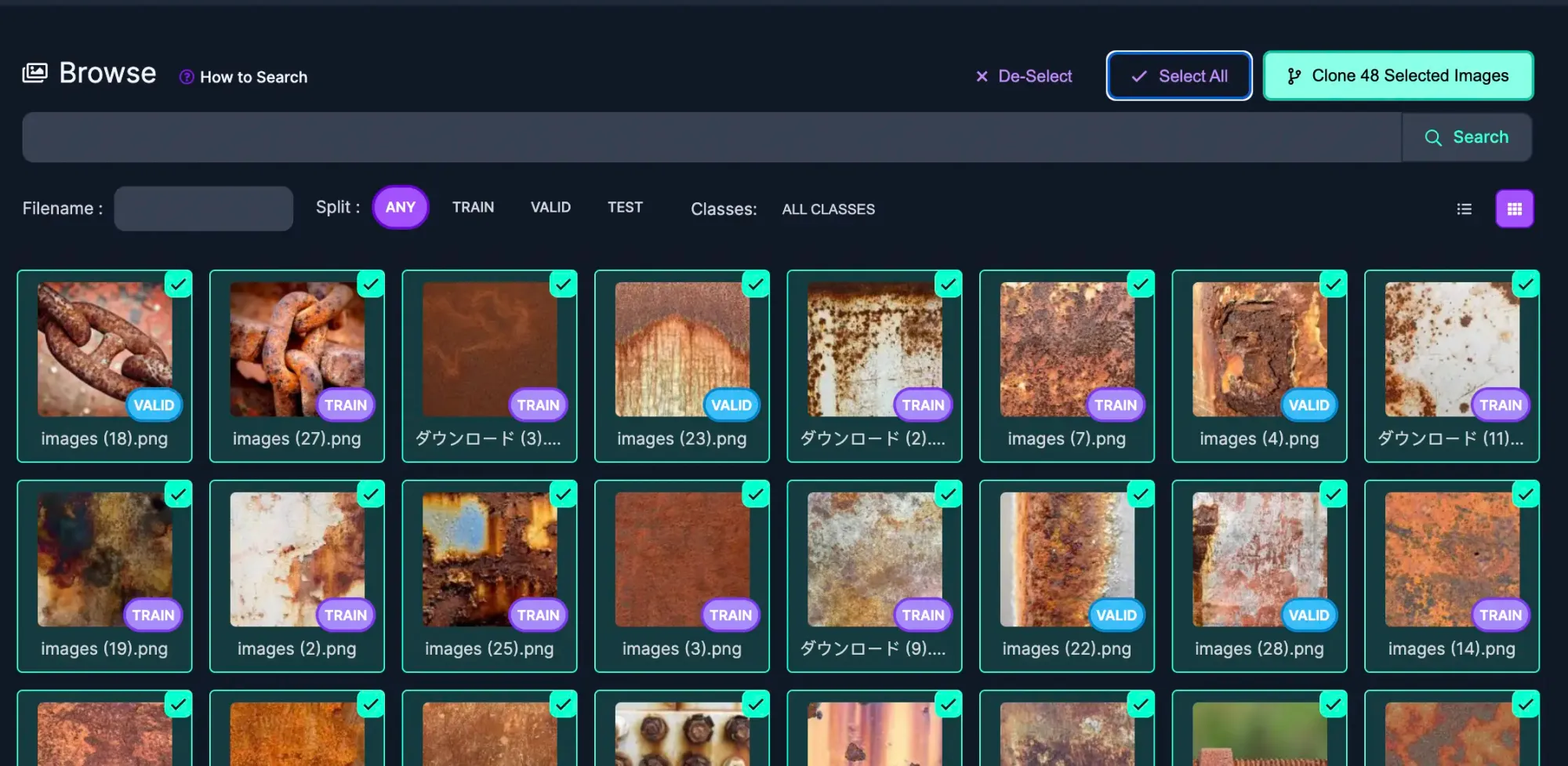
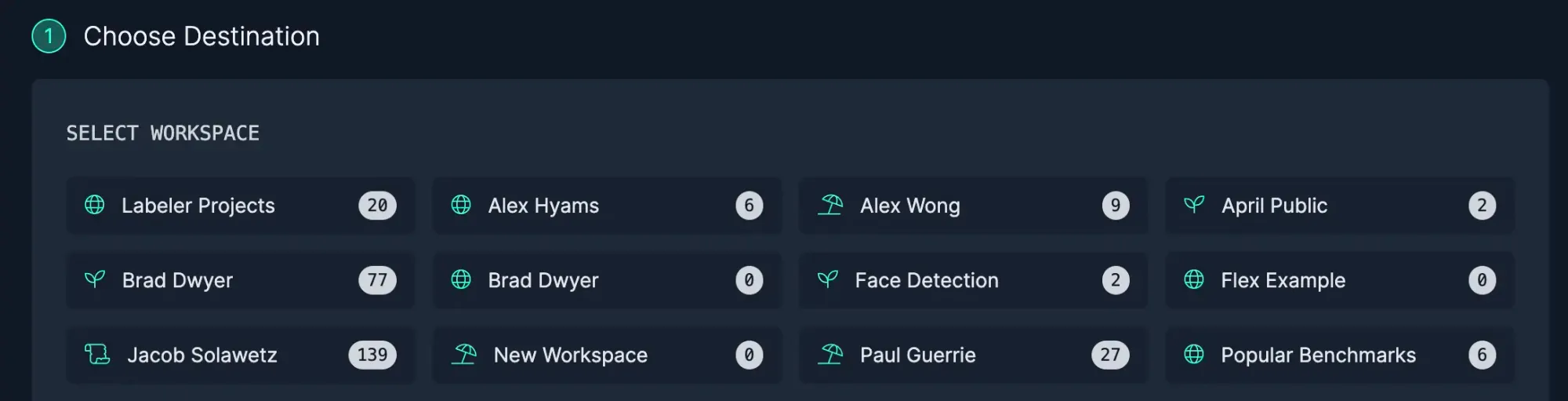
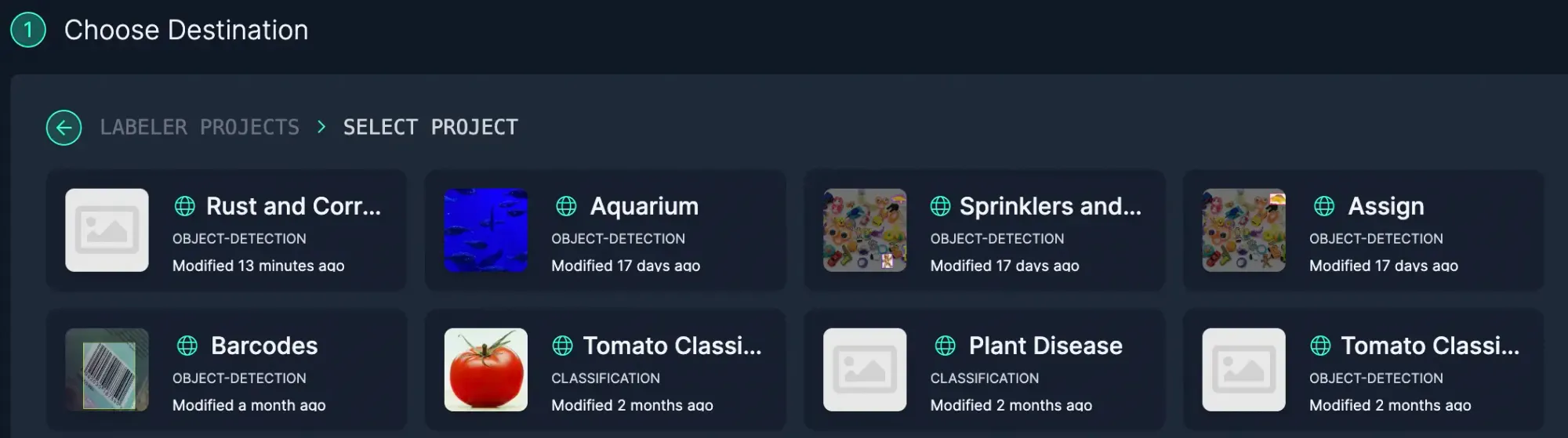
自分に合う画像やアノテーションを含むProjectを見つけたら、Imagesページを開いてクローンする画像を選択します。画像にカーソルを合わせて、画像の右上隅にあるチェックボックスをクリックすると、個別の画像を選択できます。画像をまとめて追加するには、Select Allをクリックして、現在の結果ページに表示されているすべての画像をクローンできます。
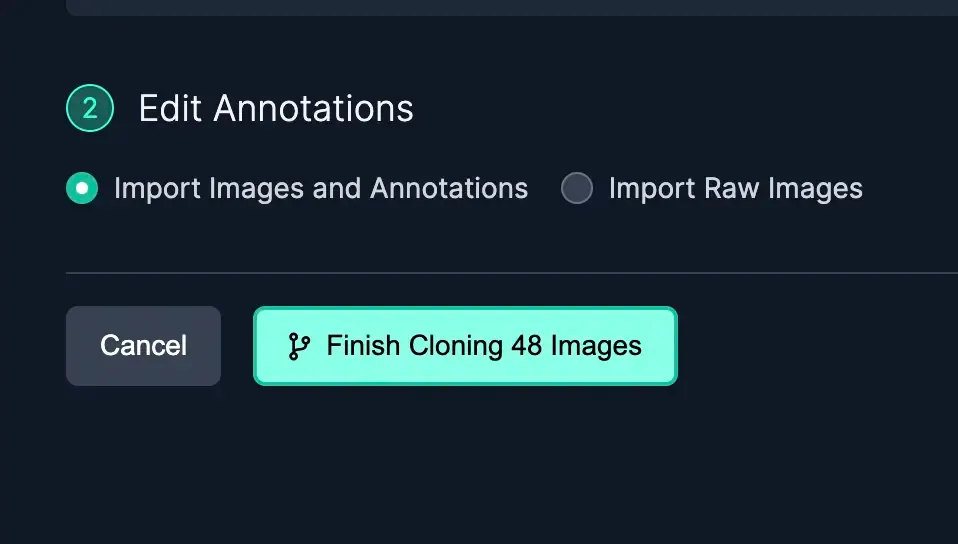
生の画像(アノテーションのない画像)をインポートするのが便利なのは、次のような場合です:
* 関心のある対象を含む画像は見つかるものの、アノテーションが、モデルに識別させたい対象に重点を置いていない場合
* classificationデータセットは見つかったが、Projectではバウンディングボックスが必要な場合
* 使用したい [polygonアノテーション](https://blog.roboflow.com/automated-polygon-labeling-computer-vision/) があるが、Projectにはバウンディングボックスしかない場合
{% hint style="success" %}
Roboflowは、すでに存在する画像を追加しようとしていないか確認します。心配いりません。重複画像を追加することはできません。
{% endhint %}
#### 必要なデータを見つけるための高度なヒント
使用する [Dataset Search](https://blog.roboflow.com/dataset-search/) モデルをファインチューニングするために必要なデータを、正確に見つけるために役立ちます。たとえば、錆検出モデルがパイプの錆を検出するのに苦戦しているなら、データセットに追加するために、パイプの画像をもっと見つけたいはずです。ProjectsやRoboflow Universe全体で使える豊富なセマンティック検索を使えば、必要なニッチなデータを見つけられます。
研究用データセット内でDataset Searchを使うと、かなりよくラベル付けされたデータを大量に素早く集めて、モデルの立ち上げを後押しできます。
特定のデータを見つけるもう1つの方法は、 [Health Checkページ](https://docs.roboflow.com/dataset-health-check?ref=blog.roboflow.com) を使って特定のクラスをクリックすることです。すると、そのクラスでフィルタされたImagesページに移動し、結果の先頭に表示されます。
Roboflow Universeで必要なデータが見つからない場合は、いつでも [API経由で独自のデータをアップロードしたり](https://docs.roboflow.com/developer/images/upload-images) 、またはYouTube[ 動画を学習データとして使用したりできます](https://blog.roboflow.com/youtube-video-computer-vision/).
---
# Agent Instructions
This documentation is published with GitBook. GitBook is the documentation platform designed so that both humans and AI agents can read, navigate, and reason over technical content effectively. Learn more at gitbook.com.
## Querying This Documentation
If you need additional information that is not directly available in this page, you can query the documentation dynamically by asking a question.
Perform an HTTP GET request on the current page URL with the `ask` query parameter, and the optional `goal` query parameter:
```
GET https://docs.roboflow.com/roboflow/roboflow-jp/datasets/adding-data/roboflow-universe.md?ask=&goal=
```
`ask` is the immediate question: it should be specific, self-contained, and written in natural language.
`goal` is optional and describes the broader end goal you are ultimately trying to accomplish on behalf of the user. GitBook uses it to tailor the answer towards what is most useful for that goal.
The response will contain a direct answer to the question and relevant excerpts and sources from the documentation.
Use this mechanism when the answer is not explicitly present in the current page, you need clarification or additional context, or you want to retrieve related documentation sections.