# Dedicated Deployment에 요청 보내기
### Python SDK 사용
최신 버전의 Python SDK를 설치해 주세요 [inference\_sdk](https://pypi.org/project/inference-sdk/) 와 `pip install --upgrade inference-sdk`.
전용 배포가 준비되면 해당 URL을 복사하세요:
전용 배포가 준비되면 URL을 복사하세요
그리고 다음 매개변수에 붙여넣으세요 `api_url` 초기화할 때 `InferenceHTTPClient` 그리고 끝입니다!
다음은 모델 추론을 실행하는 예시입니다. 자세한 내용은 [inference\_sdk 문서에서 확인할 수 있습니다](https://inference.roboflow.com/inference_helpers/inference_sdk/).
```
from inference_sdk import InferenceHTTPClient
CLIENT = InferenceHTTPClient(
api_url="https://dev-testing.roboflow.cloud",
api_key="ROBOFLOW_API_KEY"
)
image_url = "https://source.roboflow.com/pwYAXv9BTpqLyFfgQoPZ/u48G0UpWfk8giSw7wrU8/original.jpg"
result = CLIENT.infer(image_url, model_id="soccer-players-5fuqs/1")
```
### HTTP API 사용
또한 [HTTP API에도 접근할 수 있습니다](https://inference.roboflow.com/api/) 다음 아래에 나열되어 있는 `/docs`예: `https://dev-testing.roboflow.cloud/docs` .
workspace를 연결해 주세요 `api_key` 이 엔드포인트에 접근할 때 쿼리 파라미터로.
다음은 HTTP API를 사용해 위와 동일한 요청을 만드는 예시입니다:
```
import requests
import json
api_url = "https://dev-testing.roboflow.cloud"
model_id = "soccer-players-5fuqs/1"
image_url = "https://source.roboflow.com/pwYAXv9BTpqLyFfgQoPZ/u48G0UpWfk8giSw7wrU8/original.jpg"
resp = requests.get(f"{api_url}/{model_id}", params = {"api_key": "ROBOFLOW_API_KEY", "image": image_url})
result = json.loads(resp.content)
```
### Workflow UI 사용
전용 배포는 실행을 위한 백엔드 서버로도 사용할 수 있습니다 [Roboflow Workflows](https://roboflow.com/workflows/build). Roboflow Workflows는 컴퓨터 비전 애플리케이션을 만들기 위한 로우코드 웹 기반 애플리케이션 빌더입니다.
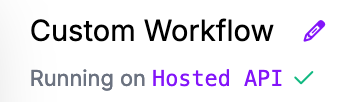
workflow를 만든 후 **Running on Hosted API** 링크를 왼쪽 상단에서 클릭하세요:
workflow가 실행될 백엔드를 변경하는 것.
클릭하세요 **전용 배포** 전용 배포 목록을 보려면 대상 배포를 선택한 다음 클릭하세요 **Connect**:
workflow 실행을 위한 백엔드 서버로 대상 전용 배포를 선택하세요.
이제 workflow 편집기에서 전용 배포를 사용할 준비가 되었습니다.
---
# Agent Instructions: Querying This Documentation
If you need additional information that is not directly available in this page, you can query the documentation dynamically by asking a question.
Perform an HTTP GET request on the current page URL with the `ask` query parameter:
```
GET https://docs.roboflow.com/roboflow/roboflow-ko/deploy/dedicated-deployments/make-requests-to-a-dedicated-deployment.md?ask=
```
The question should be specific, self-contained, and written in natural language.
The response will contain a direct answer to the question and relevant excerpts and sources from the documentation.
Use this mechanism when the answer is not explicitly present in the current page, you need clarification or additional context, or you want to retrieve related documentation sections.