> For the complete documentation index, see [llms.txt](https://docs.roboflow.com/llms.txt). Markdown versions of documentation pages are available by appending `.md` to page URLs; this page is available as [Markdown](https://docs.roboflow.com/workflows/manage/delete-a-workflow.md).
# Delete a Workflow
Move a workflow to Trash, where it is kept for 30 days before being permanently removed.
Deleting a workflow moves it to your workspace [Trash](https://docs.roboflow.com/platform/workspaces/trash) for 30 days before it is permanently removed. You can restore it from the Trash any time during the retention window.
## Delete a workflow
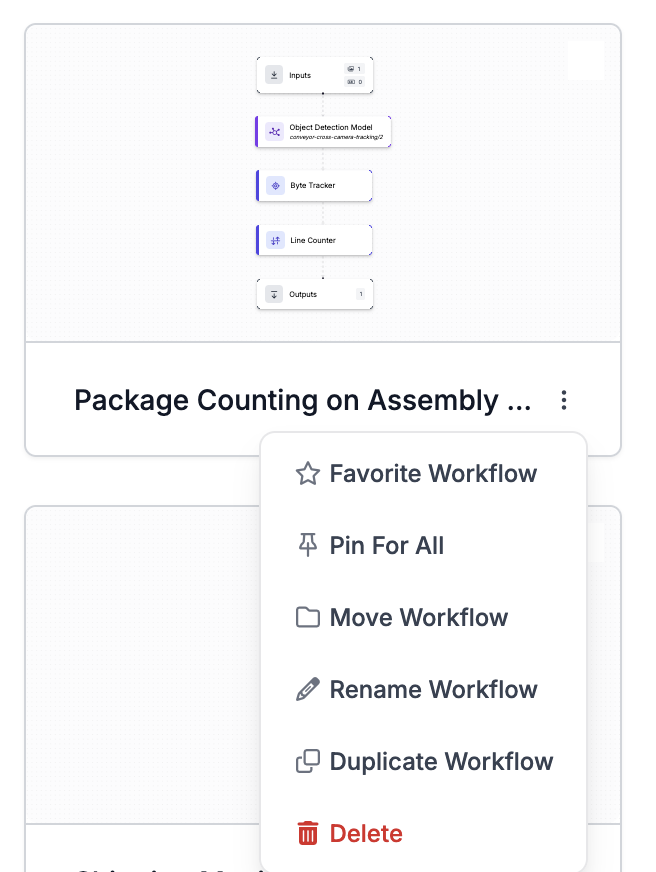
1. Go to your Workflows dashboard and click the three dots next to the workflow you want to delete.
2. Click "Delete".
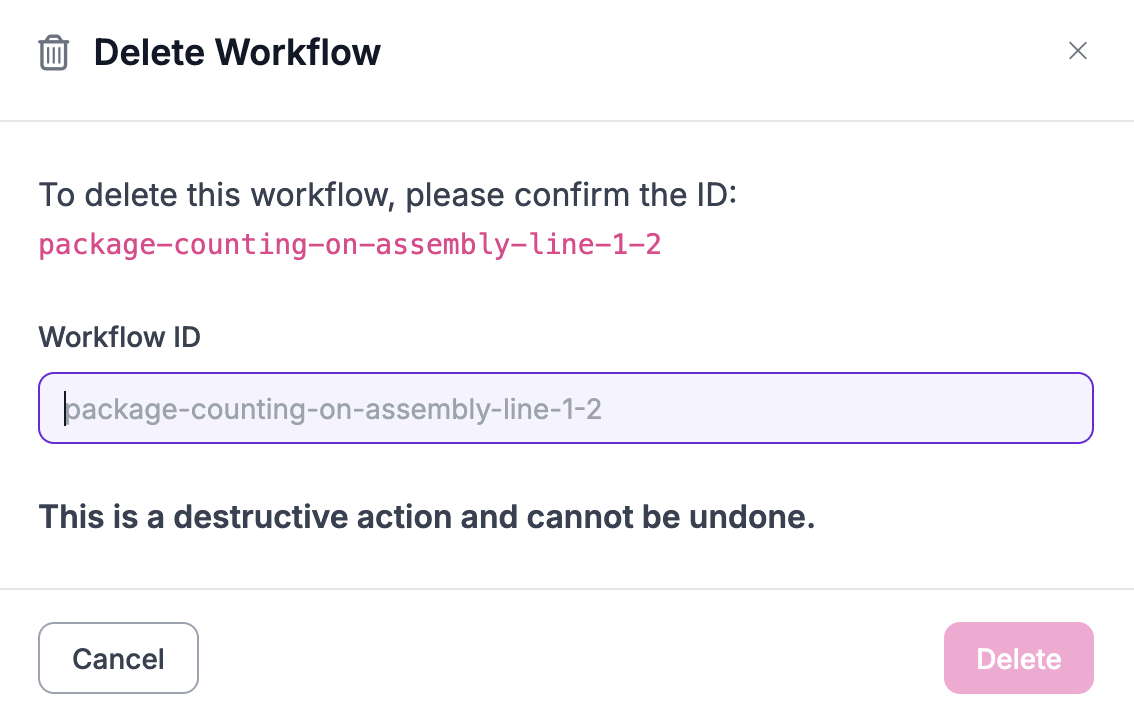
3. Type the workflow ID to confirm.
4. Click "Delete".
## Restore or permanently delete
See [Trash](https://docs.roboflow.com/platform/workspaces/trash) for how to restore a deleted workflow or remove one immediately without waiting for the 30-day retention window.
## Delete via API, SDK, or CLI
You can also move a workflow to Trash through:
* REST API: `DELETE /:workspace/workflows/:workflow`
* Python SDK: `rfapi.delete_workflow(api_key, workspace, workflow_url)`
* CLI: `roboflow workflow delete `
To restore outside the web app use `workspace.restore_from_trash("workflow", workflow_id)` from the SDK or `roboflow workflow restore ` from the CLI.