# Dedicated Deployment にリクエストを送る

### Python SDK を使用する

最新バージョンの Python SDK をインストールしてください [inference\_sdk](https://pypi.org/project/inference-sdk/) を使って `pip install --upgrade inference-sdk`.

Dedicated Deployment の準備ができたら、その URL をコピーしてください:

<figure><img src="/files/ac401bc13b90ca00108a8f61287b85601371b3cd" alt=""><figcaption><p>準備ができたら Dedicated Deployment の URL をコピーする</p></figcaption></figure>

そして parameter に貼り付けてください `api_url` 初期化時に `InferenceHTTPClient` 、これで完了です！

以下は model inference を実行する例です。詳細は以下で確認できます: [inference\_sdk のドキュメント](https://inference.roboflow.com/inference_helpers/inference_sdk/).

```
from inference_sdk import InferenceHTTPClient

CLIENT = InferenceHTTPClient(
    api_url="https://dev-testing.roboflow.cloud",
    api_key="ROBOFLOW_API_KEY"
)

image_url = "https://source.roboflow.com/pwYAXv9BTpqLyFfgQoPZ/u48G0UpWfk8giSw7wrU8/original.jpg"
result = CLIENT.infer(image_url, model_id="soccer-players-5fuqs/1")
```

### HTTP API を使用する

また、 [HTTP API にもアクセスできます](https://inference.roboflow.com/api/) これらは以下の下に一覧表示されています `/docs`、例: `https://dev-testing.roboflow.cloud/docs` .

Workspace を添付してください `api_key` これらのエンドポイントにアクセスする際は、query parameter として指定してください。

以下は、HTTP API を使って上と同じリクエストを送信する例です:

```
import requests
import json

api_url = "https://dev-testing.roboflow.cloud"
model_id = "soccer-players-5fuqs/1"
image_url = "https://source.roboflow.com/pwYAXv9BTpqLyFfgQoPZ/u48G0UpWfk8giSw7wrU8/original.jpg"

resp = requests.get(f"{api_url}/{model_id}", params = {"api_key": "ROBOFLOW_API_KEY", "image": image_url})
result = json.loads(resp.content)
```

### Workflow UI を使用する

Dedicated Deployment は、実行するためのバックエンドサーバーとしても使用できます [Roboflow Workflows](https://roboflow.com/workflows/build)。Roboflow Workflows は、コンピュータビジョンアプリケーションを作成するための、ローコードのWebベースアプリケーションビルダーです。

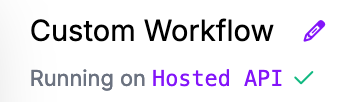
Workflow を作成した後、左上の **Running on Hosted API** リンクをクリックしてください:

<figure><img src="https://blog.roboflow.com/content/images/2024/09/Screenshot-2024-09-03-at-18.26.29.png" alt="" height="102" width="354"><figcaption><p>Workflow が実行されるバックエンドを変更する。</p></figcaption></figure>

クリック **Dedicated Deployments** Dedicated Deployment の一覧を表示するには、対象の deployment を選択してから、 **Connect**:

<figure><img src="/files/4cd63ba46c36c90aafdc9e5f681bd89b3228abca" alt=""><figcaption><p>をクリックします</p></figcaption></figure>

Workflow 実行用のバックエンドサーバーとして、対象の Dedicated Deployment を選択します。今すぐ Workflow エディターで Dedicated Deployment を使用する準備ができました。


---

# Agent Instructions: Querying This Documentation

If you need additional information that is not directly available in this page, you can query the documentation dynamically by asking a question.

Perform an HTTP GET request on the current page URL with the `ask` query parameter:

```
GET https://docs.roboflow.com/roboflow/roboflow-jp/deploy/dedicated-deployments/make-requests-to-a-dedicated-deployment.md?ask=<question>
```

The question should be specific, self-contained, and written in natural language.
The response will contain a direct answer to the question and relevant excerpts and sources from the documentation.

Use this mechanism when the answer is not explicitly present in the current page, you need clarification or additional context, or you want to retrieve related documentation sections.